


Key Takeaways
- Most whatsapp verification code not received cases come from SMS spam filters, wrong country code, or poor signal — not from WhatsApp itself.
- If SMS fails, request a whatsapp verification code by call: voice delivery bypasses blocked text channels in most regions.
- Never enter a code you didn't request — the whatsapp number already in use error often signals account hijacking attempts.
- WhatsApp officially sends codes via SMS and voice only; any offer of a whatsapp code email is a scam.
- If whatsapp verification taking too long exceeds 24 hours, wait out the built-in cooldown or contact carrier and WhatsApp support.
If your whatsapp verification code not received problem has you stuck on the login screen, you're not alone — this is one of the most reported whatsapp sms code problem scenarios worldwide, with support forums logging thousands of cases monthly. In this guide, we break down 12 causes behind the issue, from carrier-level SMS filtering and typos in the country code to the whatsapp number already in use error and built-in retry cooldowns.
You'll learn exactly how to resend whatsapp verification code correctly, switch to a whatsapp verification code by call when texts fail, and spot the scams hiding behind offers of a whatsapp code email. Each fix includes timing expectations, so you'll know when the issue is normal (1–10 minutes) versus when whatsapp verification taking too long means you need to escalate to your carrier or WhatsApp support. Follow the steps in order — most cases resolve within the first five checks.
Why Is My WhatsApp Verification Code Not Received? 12 Main Causes
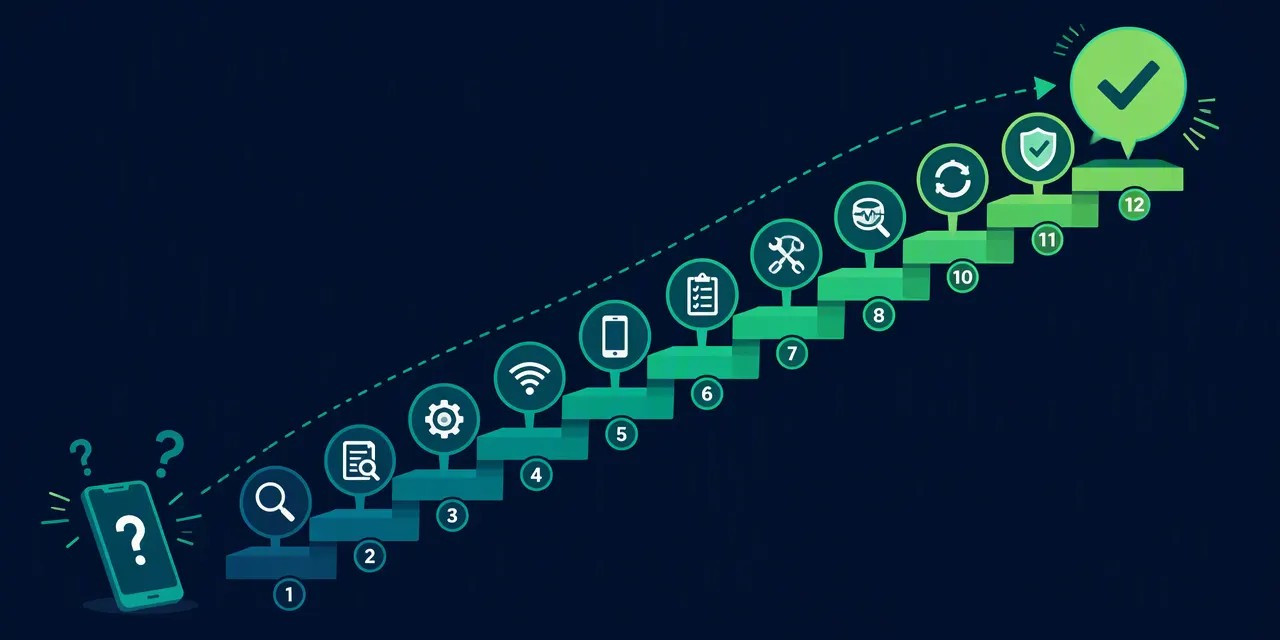
WhatsApp registers an account through a 6-digit SMS code, and its absence is almost always explained by one of 12 causes: a typo in the number, weak network, busy servers, blocked SMS, a recycled virtual number, or simple delivery delay. Below we break down each cause with a concrete fix.
How the problem usually shows up
Whether you see whatsapp code not coming during first-time registration or while changing your number on an existing account, the symptom is the same: the SMS verification code never arrives. In rarer cases, users report a whatsapp sms code problem where the code arrives but is rejected as expired — usually because whatsapp verification taking too long between request and entry. Note that the official verification scheme documented in the WhatsApp FAQ is strictly a 6-digit SMS code; WhatsApp does not send a whatsapp code email, so any "code by email" offer is a red flag.
The 12 main causes — quick preview
- Typo in the entered phone number (wrong country code or missing digit).
- Weak or no mobile signal blocking SMS delivery.
- WhatsApp servers overloaded — code requests spike during regional outages.
- Spam filter blocking the SMS (built-in on many Android and iPhone models).
- Airplane mode, DND, or blocked sender on your device.
- Recycled virtual number → you get a "whatsapp number already in use" message instead of a code (common with free numbers from shared public pools).
- Too many resend attempts triggering a temporary rate limit.
- Roaming restrictions on your SIM plan.
- Outdated WhatsApp app — update via Google Play / App Store.
- Corrupted app cache interfering with verification.
- SIM not active or too new to receive international SMS.
- Requesting whatsapp verification code by call while the "call me" option is disabled or unsupported in your region.
Skip to fixes
Ready to troubleshoot? Jump straight to the fixes: Fix #1: Check your number · Fix #4: Resend whatsapp verification code · Fix #6: Handle "number already in use".
Quick Fixes First: Recheck the Number and Wait Before You Resend
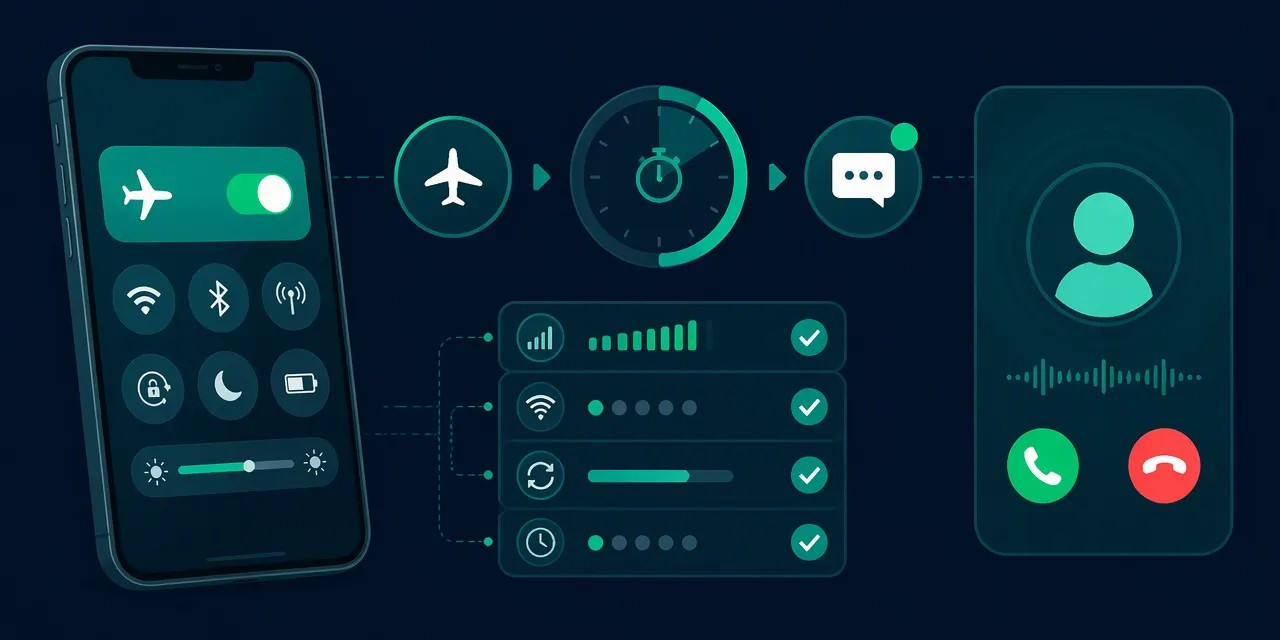
Before changing anything, confirm that the country code and phone number are entered without errors — a typo during input is the most common reason the SMS never arrives. If the number is correct, wait a few minutes: messages and calls carrying the code sometimes arrive late, so simply request a resend. According to the WhatsApp FAQ (faq.whatsapp.com), registration relies on a 6-digit SMS verification code, and most cases of a whatsapp code not coming trace back to small input mistakes rather than server failures.
Format the number correctly
WhatsApp expects the international format: a plus sign (+), the country code, and the local number without any leading zero. Common mistakes that trigger a whatsapp sms code problem include:
- Keeping the trunk 0 before the area code (e.g., typing +44 079… instead of +44 79… for the UK).
- Omitting the country code or adding it twice.
- Including spaces, dashes, or brackets in the middle of the digits.
If you are registering with a virtual number from a free shared pool, double-check that the number is still active and assigned to you — recycled free numbers can trigger a "whatsapp number already in use" message instead of a code, in which case you should contact your provider to release it from the previous owner's account.
Respect the resend timer
After requesting the code, WhatsApp shows a countdown timer (typically around 5 minutes for SMS, with the whatsapp verification code by call option unlocking after SMS fails). To resend whatsapp verification code correctly, wait until the timer expires and use the "Resend" or "Call me" button once per cycle.
Flooding the system with repeated requests marks your number as suspicious, queues multiple overlapping codes, and can extend the delay — the opposite of what you want when whatsapp verification is taking too long. Note that whatsapp code email delivery is not a standard option; the code arrives by SMS or voice call only, regardless of whether you installed WhatsApp from Google Play or the App Store on your Android or iPhone. If nothing arrives after two full timer cycles with strong signal, move on to the network- and settings-level fixes below.
Network and Server Issues Blocking Your WhatsApp SMS Code
A weak signal or overloaded WhatsApp servers are the second most common cause of a whatsapp sms code problem. Make sure your device has a stable network, that SMS reception is enabled (with enough balance to receive messages), and check whether there are widespread outage reports at the moment before you assume something is wrong with your account.
Run a Quick Network Diagnostic
Your phone may show full bars yet still fail to deliver the SMS verification code. Work through these steps in order:
- Toggle Airplane mode on for 15–30 seconds, then off — this forces your SIM to re-register with the nearest cell tower.
- Switch between Wi-Fi and mobile data, even though the code arrives via SMS: WhatsApp's activation request itself travels over the internet, and a stalled connection can block the send request.
- Restart your device to clear temporary radio stack errors, then resend WhatsApp verification code after the reboot.
If whatsapp verification is taking too long across multiple attempts, move the SIM to another phone. If the code arrives there, the problem is your handset, not the network.
Check Your SIM, Balance, and Roaming Status
Receiving an SMS is normally free, but on some prepaid plans an empty or expired balance blocks all incoming messages, including the WhatsApp code. Top up before retrying. Re-seat the SIM card, confirm it is correctly installed, and check that your plan supports international SMS — carriers can delay or drop these messages in certain regions.
Roaming is a frequent hidden culprit. If you are abroad, some operators queue international SMS for hours or filter them entirely. In that case, wait for the SMS timer to expire and choose the whatsapp verification code by call option instead — an automated voice call reads the 6-digit code aloud and works even when SMS delivery fails.
Verify WhatsApp Server Status
During mass outages, no fix on your side will help. Check Downdetector or WhatsApp's official status channels; spikes of several thousand reports within minutes indicate a server-side problem. If so, wait 30–60 minutes and try again — WhatsApp typically resolves such incidents within a few hours.
One edge case: if you use a virtual or recycled number from a free shared-number service, you may receive a message saying the whatsapp number is already in use rather than a code. That is not a network issue — contact your number provider so they can release it from the previous owner's account. For persistent delivery problems, consult the WhatsApp FAQ at faq.whatsapp.com, and always keep your app updated via Google Play or the App Store on Android and iPhone.
Blocked, Filtered, or Delayed SMS: Check Your Phone Settings
The SMS with your WhatsApp code can be automatically filtered as spam, the sender can end up on your block list, or the message can sit in a carrier queue. Check your spam/junk folder, your list of blocked numbers, and your device's SMS filtering settings before assuming the code never arrived. According to the WhatsApp FAQ (faq.whatsapp.com), registration requires a 6-digit SMS verification code, and delivery issues are more often local than server-side.
Check the spam or junk folder. On Android, open the Messages app and tap the three-dot menu → Spam & blocked to see filtered texts. On iPhone, go to Settings → Messages → Unknown & Spam — if a third-party filter is enabled, check that app's junk folder too. WhatsApp's sender numbers vary by region, so carriers' spam heuristics sometimes misclassify them.
Audit third-party filters and quiet modes. Apps like call-blockers or SMS organizers, plus built-in tools such as Focus mode on iPhone or Do Not Disturb on Android, can silence alerts or hide incoming texts. The code may arrive silently — even while it looks like your whatsapp code is not coming. Temporarily disable these features, then resend the WhatsApp verification code and watch the screen for 2–3 minutes.
Ask your carrier to unblock short codes. Some operators filter messages from short or international numbers by default. Contact support and request they whitelist SMS from short-code senders; resolution typically takes from a few minutes to 24 hours depending on the carrier, so if your WhatsApp verification is taking too long, this is a common cause of a persistent whatsapp sms code problem.
If SMS keeps failing, try the WhatsApp verification code by call option on the verification screen — an automated voice call reads the digits aloud. Users on virtual numbers (for example, from a free shared pool) should note that recycled numbers may return a "whatsapp number already in use" error instead of a code; contact your provider to release the number. WhatsApp does not send codes by email, so any service promising a whatsapp code email is not official. Reinstalling the app from Google Play or the App Store won't fix filtering — the block happens at the OS or carrier level.
Try the 'Call Me' Option Instead of SMS
If your SMS verification code never arrives, use the Call me option: WhatsApp will call your number and dictate the code in an automated voice message. This is an official alternative verification channel built into the registration screen, and it often works when the carrier's SMS route is congested or temporarily blocked — a common cause behind a whatsapp sms code problem.
Where the 'Call me' Button Is and When It Becomes Active
The button appears on the same screen where you enter the 6-digit verification code during registration (per the WhatsApp FAQ, verification is a 6-digit SMS verification code by default). However, it is not available immediately — WhatsApp enforces a waiting period after you tap resend whatsapp verification code (or after the initial SMS fails to arrive). Expect to wait roughly 1–5 minutes; the button activates only after the SMS retry timer expires. If you don't see it, wait for the countdown to finish, keep the screen open, and make sure you're not repeatedly re-requesting codes, which can extend the timer.
How to Catch the Code from the Automated Call
The automated call reads the code digit by digit, usually with one or two repetitions. To avoid missing it:
- Answer immediately — the call is short and doesn't ring for long.
- Have a pen and paper ready, or open a notes app before the waiting period ends.
- If you miss a digit, don't panic: tap Call me again after the new timer expires. Voice quality on a standard cellular call is typically clear enough to capture all six digits on the first try.
Why the Call May Also Fail
Voice verification is not a guaranteed fix. Common blockers include:
- Blocked unknown numbers — if your phone or a third-party app (Android/iPhone call-filtering) silences unknown callers, the WhatsApp call will be rejected silently. Temporarily disable this filter.
- VoLTE/network routing issues — calls routed over VoLTE or weak-signal areas may not connect even when data works. Toggle VoLTE off, or move to an area with stronger coverage, as recommended in standard carrier troubleshooting guidance.
- Recycled virtual numbers — if you registered with a free or temporary number (e.g., from a free shared pool), the call may never come. Worse, instead of a 6-digit code, you may get a message saying the whatsapp number is already in use — contact your number provider to release it from the previous owner's account.
SMS vs. Call vs. Resend: Quick Comparison
| Method | Best when | Typical delay | Main risk |
|---|---|---|---|
| SMS (default) | Normal registration | Seconds to a few minutes | Carrier SMS congestion, spam filtering |
| Call me | SMS repeatedly fails, whatsapp verification taking too long | 1–5 min wait, then instant call | Blocked unknown numbers, VoLTE |
| Resend code | Code may have been delayed | Adds another wait timer | Too many requests can trigger rate limits |
In practice, the call option is the fastest escalation step when whatsapp code not coming persists. Note that whatsapp code email is not an official channel — WhatsApp never sends verification codes by email, so treat any such message as a phishing attempt. If neither SMS nor voice works across two attempts, wait 24 hours before trying again to avoid a temporary registration block.
Fix WhatsApp SMS Code Problem on Your Device: Cache, App, and SIM
Software glitches in the app or on your SIM card can also block code delivery. The standard fix sequence: reboot your phone, clear the WhatsApp cache, update the app, and re-seat your SIM card — in that order. Per the WhatsApp FAQ (faq.whatsapp.com), registration still depends on a 6-digit SMS verification code, so device-side faults must be ruled out before you assume a server issue.
1. Clear the WhatsApp cache on Android. Go to Settings > Apps > WhatsApp > Storage > Clear cache. Do not tap "Clear data" — that wipes local files. On iPhone, iOS has no per-app cache button, so the equivalent is deleting and reinstalling WhatsApp from the App Store. If whatsapp verification is taking too long, clear the cache first, then resend whatsapp verification code after a 10–15 minute wait to avoid triggering rate limits.
2. Update WhatsApp and reboot. Outdated builds routinely fail SMS verification code handshakes. Check Google Play or the App Store for the latest version, install it, then restart the device. This single step resolves a large share of "whatsapp code not coming" complaints documented across help forums and troubleshooting guides.
3. Test the SIM hardware. Move the SIM to the second slot or insert it into another phone. If no SMS arrives there either, the card or your carrier provisioning is at fault — not WhatsApp. Contact your operator before reinstalling anything.
4. Reinstall carefully. A fresh install fixes deep corruption, but without a backup it erases your chats permanently. Back up first: Android restores from Google Drive, iPhone from iCloud. This is also the moment to confirm the number — a recycled line can return "whatsapp number already in use" instead of a code, a scenario typical for recycled virtual numbers.
Still stuck? Request the whatsapp verification code by call or check whatsapp code email if you linked a mailbox. If nothing works after 24 hours, the problem sits upstream with WhatsApp servers.
Virtual or Free Numbers: Why the Code Never Arrives and the 'Number Already in Use' Error
When you use a free or virtual number, the SMS verification code may never arrive at all: such numbers are usually recycled, meaning they were previously owned by someone else. Instead of a 6-digit code, you get a message saying the number is already linked to someone else's account. Contact your number provider so they can release it from the previous owner's account, and keep in mind the risk of a WhatsApp ban for policy violations.
How recycled numbers block verification
Phone numbers are a limited resource, so providers constantly reissue them. According to the WhatsApp FAQ (faq.whatsapp.com), WhatsApp account registration always uses a 6-digit SMS verification code tied to one active number. If a recycled number is still registered to a former owner's WhatsApp account, you won't get a code — you'll get a whatsapp number already in use message instead. This is a common reason behind the broader whatsapp code not coming and whatsapp sms code problem complaints on virtual-number forums.
What to request from your provider
- Release the number from the previous user's WhatsApp account — most number providers explicitly recommend this step.
- Ask for a number with clean history if the release is impossible; paid virtual numbers have a measurably higher success rate than free ones, though exact figures vary by provider.
- Confirm the number supports whatsapp verification code by call as a fallback when SMS fails.
Risks and a better alternative
WhatsApp requires you to read and agree to its usage policies: non-compliance can lead to account suspension or termination, per the WhatsApp FAQ. If you keep hitting the whatsapp verification taking too long wall, don't chase a whatsapp code email workaround — WhatsApp doesn't verify via email. Instead, use the official number-change flow: you still can't skip verification, but you can verify on any other active number you control, including another virtual line from your provider, then switch freely. Afterward, resend the code once, wait 10–15 minutes, and update WhatsApp via Google Play (Android) or the App Store (iPhone) before you resend whatsapp verification code again.
Can You Get a WhatsApp Code Without SMS or Skip Verification?
No — you cannot activate a WhatsApp account without the 6-digit code. Verification is mandatory for every active phone number, and there is no official way around it. Workarounds like a "whatsapp code email" do not exist; the only legitimate paths are receiving the SMS verification code by text or by call, or changing your number through the app's built-in feature.
The "code by email" myth
Some users searching for a whatsapp code email option assume WhatsApp works like banking apps that offer email fallback. It does not. According to the WhatsApp FAQ, registration relies exclusively on a 6-digit SMS verification code sent to the phone number you enter. If you face a whatsapp sms code problem, the realistic options are limited: resend whatsapp verification code via SMS, switch to the whatsapp verification code by call option after the SMS timer expires, or correct a mistyped number first.
Changing your number properly
If your old number is unreachable, use WhatsApp's official change number feature (Settings → Account → Change number) rather than creating a new account. You will still complete verification — entering a different active number is allowed, but skipping the step is not. Virtual number providers confirm this: you can switch numbers using a virtual or temporary number, yet verification itself always happens.
Why "activation services" are dangerous
Third-party services promising to activate WhatsApp "for you" typically ask for the incoming code. Never share your SMS verification code with anyone — doing so hands full control of your account, chats, and groups to a stranger, and often triggers a "whatsapp number already in use" lock when the real owner tries to recover it. Free virtual numbers carry similar risks: recycled numbers may already be registered, and policy violations can lead to suspension.
Secure your account after verification
Once you're in, enable two-step verification (Settings → Account → Two-step verification) and set a PIN. This adds a second layer so that even if someone intercepts a future code, they cannot hijack your account without it.
Still Not Working? Support, Timing Rules, and Prevention
If none of the 12 fixes worked, stop requesting codes and wait out the resend limit, collect your data (phone number, country code, attempt timestamps, screenshots), and contact WhatsApp support or your mobile carrier. In the future, the problem is far less likely when your primary number stays active and you change numbers correctly through the app's settings.
Timing rules: why waiting matters
WhatsApp applies rate limits when you resend the WhatsApp verification code too often. After roughly 3–5 rapid requests, the app can block new attempts for hours — some users report a whatsapp verification taking too long because they hit a temporary lock that lasts up to 12–24 hours. There is no legitimate way to bypass this timer; uninstalling and reinstalling the app only resets your progress. Your options are the whatsapp verification code by call option (after the SMS timer expires) or simple patience. Repeatedly tapping "resend" during a whatsapp sms code problem is the single most common reason support tickets fail.
How to prepare a support request
Before opening a ticket via the WhatsApp FAQ at faq.whatsapp.com (Settings → Help → Contact Us in the app), gather:
- Your full number with country code and confirmation it can receive standard SMS
- Exact timestamps of each attempt (date, time, timezone)
- Screenshots of the stuck verification screen and any error message
- Your device model (Android or iPhone), OS version, and WhatsApp version from Google Play / App Store
- Whether you see "whatsapp number already in use" — this indicates a recycled number, not a delivery failure
When your carrier is at fault
If your phone receives other texts fine but the whatsapp code not coming persists for 24+ hours, your carrier may be filtering short-code SMS. Ask them explicitly to check delivery of short-code messages (not standard texts) and confirm your line isn't flagged for spam. Virtual numbers from free shared pools add another failure point — recycled free numbers frequently trigger "already in use" instead of delivering a code.
All 12 causes and fixes at a glance
| # | Cause | Fix |
|---|---|---|
| 1 | Wrong number or country code | Re-enter carefully |
| 2 | Typo in the entered number | Verify digits before submitting |
| 3 | Weak signal or network issue | Move to better coverage, toggle airplane mode |
| 4 | WhatsApp servers busy | Wait and retry later |
| 5 | Rate limit from too many resends | Wait 12–24 hours |
| 6 | SMS blocked or delayed by carrier | Ask carrier about short-code SMS |
| 7 | Do Not Disturb or spam filter | Check blocked messages folder |
| 8 | Outdated app version | Update via Google Play / App Store |
| 9 | Corrupted cache | Clear WhatsApp cache (Android) |
| 10 | Recycled/virtual number in use | Contact your number provider |
| 11 | Roaming restrictions abroad | Enable roaming or use call verification |
| 12 | SIM not provisioned for SMS | Test with a standard text message first |
Prevention is straightforward: keep your number active, never buy codes from third parties, and always change numbers through WhatsApp Settings → Account → Change Number — never by reinstalling.
FAQ
Why am I not getting my WhatsApp verification code?
Common causes include a mistyped phone number, weak network connection, busy WhatsApp servers, delayed SMS delivery, or a full message inbox. Double-check your number, ensure strong signal, restart your phone, clear the WhatsApp cache, and request the code again after the timer expires.
How long does it take to receive a WhatsApp verification code?
Normally the 6-digit SMS code arrives within seconds, but delays can occur due to network congestion, carrier issues, or server load. If nothing arrives after a few minutes, wait for the resend timer to expire, then request the code again via SMS or the call-me option.
How do I resend my WhatsApp verification code?
Wait for the countdown timer on the verification screen to finish, then tap "Resend SMS" or choose "Call me" to receive the code via automated phone call. Before resending, verify your number is correct, your signal is strong, and your SMS inbox isn't full.
Can I get a WhatsApp verification code by email?
No. WhatsApp only sends verification codes via SMS or an automated voice call to the phone number you entered. Email verification is not supported. If you can't receive SMS, select the "Call me" option during registration to get your 6-digit code by phone call instead.
Why does WhatsApp say my number is already in use?
This usually means the number is recycled — a previous owner registered it with WhatsApp. Instead of a code, you may receive an "already in use" message. If you're using a virtual or free number, contact your number provider so they can release it from the former user's account.
Can I use WhatsApp without a verification code?
No, you cannot. WhatsApp requires an active phone number and a 6-digit verification code sent by SMS or voice call to activate every account — there's no way to skip this step. If you want privacy, use a virtual or temporary number to receive the code instead of your personal one.
Keep reading in this cluster
- Virtual number for WhatsApp: full setup guide — pick the right number type and pass verification on the first try.
- Free virtual number for WhatsApp — which free options actually work in 2026.
- WhatsApp without a phone number — three working methods when you don't have a SIM.
Still can't get the code on your personal number? Register at Second Number and verify on a dedicated virtual number — most users activate in under 10 minutes, with a work-or-refund guarantee.