



Key Takeaways
- A virtual number lets you run two WhatsApp accounts one phone without a second SIM card
- WhatsApp officially supports a second account via the WhatsApp Business app
- Setup takes 5–10 minutes: get a number, verify via SMS, register the account
- Virtual numbers cost $1–5/month and work for both WhatsApp and WhatsApp Business
- You can use WhatsApp without SIM permanently if the number stays active
Running a second WhatsApp account used to mean carrying two phones or swapping SIM cards every few minutes. In 2024–2025, that problem is solved: with a virtual number for WhatsApp, you can set up two WhatsApp accounts one phone in under 10 minutes — no extra hardware, no contract, no hassle.
In this guide, we'll walk you through the entire process step by step: how to choose a reliable virtual number provider, how to verify it inside the app, and whether to use the standard WhatsApp app or a WhatsApp Business second account for your 2nd WhatsApp number. You'll also learn the key difference between a dual WhatsApp virtual number and a second SIM, what it actually costs (spoiler: $1–5 per month), and the mistakes that get virtual numbers banned. Whether you need to separate work from personal chats or want to use WhatsApp without SIM entirely, this article gives you a clear, working setup — with specific services, prices, and screenshots-ready instructions.
Can You Have Two WhatsApp Accounts on One Phone?
Yes — you can run two WhatsApp accounts on one phone, and WhatsApp officially allows exactly two: the standard WhatsApp app and WhatsApp Business installed side by side. There is no way to run more than two accounts on a single device. Each account requires its own phone number verified via SMS or call.
The official limit: two apps, two numbers
WhatsApp's rule is simple: one account per number, and a maximum of two accounts per device. Both applications — WhatsApp and WhatsApp Business — are developed by Meta, so running them together on the same phone is fully legitimate, not a workaround. Your personal WhatsApp keeps working as usual, while WhatsApp Business acts as the second, fully functional account with extra tools like auto-replies, catalogs, and a business profile.
A common misconception is that you need to convert your personal number into a Business profile. You don't. Your second WhatsApp account is created on a separate number — your main SIM card or eSIM stays untouched.
What you need for each account
Every account — first or second — must pass SMS verification or a voice call with its own unique number:
- Account 1 (standard WhatsApp): registered with your personal SIM card or eSIM.
- Account 2 (WhatsApp Business): registered with a second number — a second SIM, an eSIM, or a virtual number for WhatsApp.
This is where the keyword most people search for — dual WhatsApp virtual number — comes in. If you don't want to buy a second physical SIM, a virtual number lets you receive the verification code and complete registration in minutes.
Why a virtual number is the practical route
For most users, getting a 2nd WhatsApp number via a virtual number app is the fastest option: no carrier contracts, no extra hardware, and in many cases you can be up and running on both accounts within 10–15 minutes. It also solves the related use case of using WhatsApp without a SIM card entirely — the standard app can itself be registered on a virtual number if you have no physical SIM available.
Bottom line: two WhatsApp accounts on one phone is officially supported via WhatsApp + WhatsApp Business, and a virtual number is the most flexible way to obtain the second number both accounts require.
Who Needs a Second WhatsApp Number (and Why)
A second WhatsApp number suits anyone who wants to separate personal and work communication without carrying a second phone: freelancers, small business owners, marketers, and people selling online. A virtual number works well here — you get a dedicated line without buying an extra SIM card or eSIM.
Running two WhatsApp accounts one phone is no longer a workaround — it is a standard workflow supported by Meta itself. Both WhatsApp and WhatsApp Business apps can be installed on the same device, and the second account only needs its own phone number for SMS verification. That second number is exactly where a virtual number fits.
Here are the user groups that benefit most:
- Freelancers and small business owners. Keep client chats, invoices, and project discussions in one app while personal conversations stay in the other. WhatsApp Business adds tools like auto-replies, labels, and product catalogs — useful even for a one-person operation.
- Marketplace and social media sellers. A dedicated 2nd WhatsApp number creates a clean channel for orders and customer support, so incoming deals never get lost between family chats and group messages.
- Travelers and expats. A local or international virtual number lets you appear local to clients abroad and receive WhatsApp messages without paying roaming fees or swapping your physical SIM card.
- Users without a second SIM slot. Many mid-range phones ship with a single SIM tray. A dual WhatsApp virtual number setup removes the hardware limitation entirely — no eSIM support required.
The practical takeaway: anyone who needs a virtual number for WhatsApp usually shares one of two goals — cleaner separation of contexts or a presence in another country. In both cases, using WhatsApp without a SIM is achievable in minutes: pick a provider, rent a number, pass SMS verification, and register the second app. If you want business features on top, WhatsApp Business as a second account is the more future-proof route.
WhatsApp vs WhatsApp Business: Which App for Your Second Account?

For a second personal account, install the standard WhatsApp; if the second line is for clients or selling, choose WhatsApp Business — it adds auto-replies, catalogs, labels, and business profiles. The good news: WhatsApp Business works exactly like the standard app for everyday messaging, so it can be used as a regular second account.
Feature comparison: what each app offers
The standard WhatsApp covers everything you need for personal communication: chats, voice and video calls, group chats, and media sharing. WhatsApp Business, also developed by Meta, includes all of these and adds tools designed for selling and customer communication:
- Auto-replies — greeting messages and "away" messages that answer customers automatically.
- Product catalog — a built-in storefront where you can list products or services with prices and descriptions, so buyers browse without starting a chat.
- Chat labels — color-coded tags (e.g., "New customer", "Pending payment") to organize dozens of conversations.
- Business profile — your company name, address, website, and working hours in one public card.
None of these features are available in the standard app. However, the Business app fully supports regular personal messaging: you can chat with friends and family exactly as you would in the standard WhatsApp. Many users run WhatsApp Business as a second account precisely for this reason — it behaves like a normal messenger, just with extra tools switched off until needed.
Where to download each app
- Standard WhatsApp — official installer at whatsapp.com/download (Google Play, App Store, desktop).
- WhatsApp Business — at business.whatsapp.com.
Both apps coexist on the same device without conflicts, which is the foundation of the two WhatsApp accounts one phone setup: one app tied to your primary SIM card or eSIM, the other registered to a virtual number for WhatsApp.
Important: no upgrade required
A common misconception is that you must "convert" your personal number into a business profile. You don't. WhatsApp and WhatsApp Business are independent applications — each one is verified separately via SMS verification with its own number. Your existing personal account stays untouched. If you want to use WhatsApp without SIM on the second line, simply register the second app with a virtual number and complete the standard SMS code step. This makes a dual WhatsApp virtual number setup straightforward: your 2nd WhatsApp number lives entirely inside the Business app while your main number remains in the standard one.
Step 1: Set Up Your Primary WhatsApp Account
Install the standard WhatsApp app from whatsapp.com/download and register it with your main phone number — the one tied to your SIM or eSIM. Complete SMS or call verification. If you have no physical SIM at all, you can register even this primary account with a virtual number.
Download the official WhatsApp app from Meta
WhatsApp serves over 2 billion users worldwide (per Meta), and the installation step is deliberately simple — but only if you avoid unofficial clones:
- iOS: get the app from the App Store.
- Android: use Google Play or download the APK directly from whatsapp.com/download — the official and safest source.
- Always check the publisher: the legitimate app is listed by WhatsApp LLC (Meta). Modified builds like "GB WhatsApp" violate WhatsApp's terms and carry a real risk of a permanent ban, which would break your setup for two WhatsApp accounts on one phone.
Register with your main number
Open the app, accept the terms, and enter your primary phone number — the one attached to your SIM card or eSIM. WhatsApp will send a 6-digit code via SMS verification; if the text doesn't arrive within roughly a minute, tap "Call me" to receive the code by voice. Enter it, restore your chat backup if prompted, and set your name and profile photo.
No SIM? Use a virtual number instead
If you don't have a physical SIM card or eSIM — for example, on a tablet or a second device — you can still use WhatsApp without SIM: pick a reliable virtual number for WhatsApp, receive the confirmation code in the provider's app, and register exactly the same way. A virtual number works for both the primary account and the 2nd WhatsApp number you'll add later.
Confirm the account works before adding a second app
Before moving on to the dual WhatsApp virtual number setup, verify the basics:
- Send and receive a test message.
- Make sure your profile photo and status sync.
- Check that notifications arrive with the app closed.
A stable primary account is the foundation for the next step — adding WhatsApp Business as your WhatsApp Business second account, which we'll cover next.
Step 2: Get a Second Phone Number — SIM, eSIM, or Virtual Number
Your second account needs its own number. Options: a second SIM card, an eSIM, or a virtual number from an app. A virtual number is the fastest route — you get a working number in minutes without a contract or extra hardware, and it supports WhatsApp verification via SMS.
To run two WhatsApp accounts on one phone, you need a 2nd WhatsApp number that is not tied to your primary line. There are three reliable ways to get one:
- SIM card. A physical second SIM requires a free slot in your device or a dual-SIM phone. It usually involves a carrier contract, a monthly plan, and sometimes an extra device if your phone has only one tray.
- eSIM. An embedded SIM is activated digitally through your carrier, but availability depends on your country and operator, and it still requires registration and a paid plan.
- Virtual number. A virtual number for WhatsApp is issued through an app in a matter of minutes — no contract, no extra hardware, and no visit to a store. This makes it the most practical choice for a dual WhatsApp virtual number setup.
Before You Register: Verify the Number Accepts SMS
WhatsApp registration always requires a phone number, and Meta confirms ownership through an SMS verification code or a voice call. Whichever source you choose, make sure the number can actually receive SMS messages (or an incoming call) — this is a common failure point with low-quality providers. A reputable virtual number service guarantees SMS reception specifically for WhatsApp verification, so test the number before you start the setup.
Local or International Number?
Match the number type to your task. A local number (same country code as your main account) looks natural to contacts and is ideal if you plan to use WhatsApp Business second account features for clients or a side project. An international number is useful for market research, cross-border communication, or privacy — a common reason people want to use WhatsApp without SIM tied to their real identity. Keep in mind that contacts may hesitate to answer unknown foreign codes, so pick deliberately.
Once you have a number that receives SMS, you're ready to install the second app.
Step 3: Install WhatsApp Business and Register Your Second Account
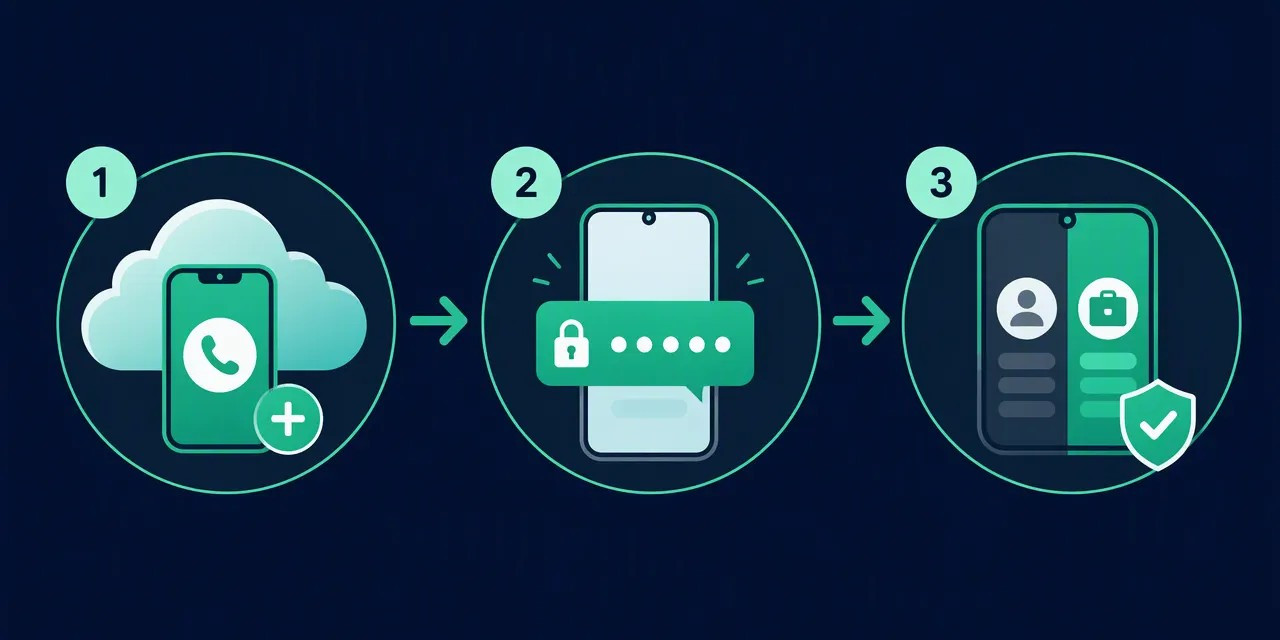
Download WhatsApp Business from business.whatsapp.com and register it with your second (virtual) number — confirm the SMS code, then fill in your profile: name, photo, description. That's it — you now have two WhatsApp accounts running on one phone, each with its own number.
Install WhatsApp Business alongside WhatsApp
The key mechanic behind two WhatsApp accounts on one phone is simple: WhatsApp and WhatsApp Business by Meta are two separate apps that can coexist on the same device. You don't need to convert your personal number into a business profile — WhatsApp Business works perfectly as a regular messenger even without a company behind it. It's essentially the standard WhatsApp with extra tools on top: auto-replies, product catalogs, and labels. Download the app that matches your OS directly from business.whatsapp.com/products/business-app (Google Play / App Store).
Register with your second (virtual) number
- Open WhatsApp Business and accept the terms.
- Enter your virtual number for WhatsApp — the one you obtained in the previous step — in international format (e.g., +44, +1).
- Wait for the SMS verification code. Most virtual numbers receive it within 15–60 seconds; if SMS doesn't arrive, request a voice call with the code (this works for the majority of virtual and eSIM numbers).
- Enter the code. Registration is free and takes under 2 minutes.
This is how you use WhatsApp without a SIM for the second line — the virtual number replaces both a SIM card and an eSIM. Meta only checks that the number can receive one SMS or call; nothing ties the account to a physical card.
Set up the profile
WhatsApp Business will ask for a business name — you can enter any name, since the app doesn't verify it for standard accounts. Add a profile photo, a short description, and optionally a category. If you plan to keep this as a purely personal 2nd WhatsApp number, you can skip the catalog and auto-reply settings entirely.
The result
You now have dual WhatsApp via a WhatsApp Business second account: personal WhatsApp on your primary SIM/eSIM number, and WhatsApp Business on your virtual number. Both apps run independently — separate chats, contacts, backups, and notifications. Your dual WhatsApp virtual number setup is complete, and you can start messaging right away.
How Much Does a Virtual Number for WhatsApp Cost?
Pricing for virtual numbers varies by provider and number type: you can find cheap short-term numbers for a one-off registration or subscription plans for long-term use. Choose a long-term option if you plan to keep the second account — losing access to the number means losing the ability to re-verify your WhatsApp.
One-Time Payment vs. Subscription
Most providers offer two pricing models for a virtual number for WhatsApp:
- One-time (pay-per-activation): you pay a small fee to receive the SMS verification code once. This is the cheapest way to use WhatsApp without SIM, but the number typically stops working after a few minutes or hours.
- Subscription (monthly rental): you keep the number active for weeks or months. Prices vary widely by provider, country, and number type — expect roughly $1–10 per month as an order-of-magnitude range, with exact figures set by each provider for 2025.
If you only need a disposable 2nd WhatsApp number for testing, a one-time number is enough. If you plan to run a WhatsApp Business second account or a long-term personal profile, a subscription is the only sensible choice.
Why Temporary Numbers Are Risky
A temporary number works for initial registration, but WhatsApp periodically asks for re-verification — for example, after you reinstall the app, switch phones, or log out. If your number has already expired, you cannot receive a new code, and the account becomes unrecoverable. This is the main hidden cost of cheap one-time numbers: you may lose your chats, contacts, and history entirely.
What to Compare Across Providers
Before you buy a dual WhatsApp virtual number, check four things:
- WhatsApp support: not every virtual number accepts codes from Meta services. Confirm the provider explicitly supports WhatsApp and WhatsApp Business registration.
- Rental duration: how long the number stays active and whether you can extend it.
- Country of the number: some countries have lower ban and block rates; a local number also looks more trustworthy to your contacts.
- Re-verification guarantee: the provider should let you receive repeated SMS messages on the same number, not just the first one.
For two WhatsApp accounts on one phone, the math is simple: a permanent virtual number costs a few dollars per month, while a temporary one risks costing you the entire second account.
Risks and Limitations: Bans, Verification, and Account Safety
WhatsApp officially supports two accounts via the standard app plus WhatsApp Business, so the dual-app setup itself is safe. The main risks come from low-quality virtual numbers: reused or shared numbers can trigger extra verification or bans. Keep the number active to retain control of your account.
The hard limit: two accounts per device
You can install WhatsApp and WhatsApp Business side by side on the same phone, each registered with a different number — one on your SIM card or eSIM, the other on a virtual number for WhatsApp. However, there is no official way to run more than two accounts in parallel. Any app or service promising three or more simultaneous accounts relies on unofficial workarounds (cloned apps, modified APKs), which violate Meta's terms of service and carry a real risk of a permanent ban.
Why cheap virtual numbers are risky
A low-cost virtual number is often recycled: the same digits may have been sold to multiple users or previously used for WhatsApp by someone else. In practice, that leads to two problems:
- Extra SMS verification or call verification loops. WhatsApp may repeatedly re-check the number if it detects unusual activity or a prior registration.
- Unexpected bans. If the previous holder spammed from that number, it can already sit on Meta's risk lists before you even finish setup.
For a stable dual WhatsApp virtual number setup, choose a provider that offers private, non-shared numbers rather than free or "public inbox" services.
Keep access to your 2nd WhatsApp number
WhatsApp binds each account to its number. If you lose the virtual number — subscription expires, provider reassigns it — you can lose the ability to receive verification codes and re-verify the account. Rule of thumb: never let the number lapse while the account is active. If you plan to use WhatsApp without SIM long-term, pick a provider with auto-renewal.
Spam rules apply regardless of number type
Whether you run two WhatsApp accounts one phone setup or a WhatsApp Business second account, Meta's anti-spam systems treat you the same. Mass messaging, unsolicited broadcasts, and reports from recipients lead to temporary restrictions and, on repeat, permanent bans — no matter if the number is a SIM card, eSIM, or virtual. Use the second account for legitimate communication: a separate personal line, client chats, or a side project. That keeps both accounts safe.
Conclusion: The Easiest Way to Run a Second WhatsApp on One Phone
The simplest reliable setup is: standard WhatsApp with your main number plus WhatsApp Business with a virtual second number. It takes under 15 minutes, requires no second SIM, and keeps both accounts fully functional on a single device — just pick a trustworthy virtual number provider and keep the number active.
The Winning Formula
Here's the exact architecture that works:
- WhatsApp — registered to your primary SIM card or eSIM number, exactly as you use it today.
- WhatsApp Business — registered to a virtual number for WhatsApp, running alongside the main app. Both apps are published by Meta, so dual WhatsApp virtual number setups like this are fully supported and won't trigger bans.
Unlike app cloning tools or modified clients (which frequently lead to account blocks), this method uses two official applications — nothing sideloaded, nothing risky. The Business app even adds value: auto-replies, catalogs, labels, and quick replies come built in at no cost.
Conditions for Long-Term Success
Three things determine whether your second account stays stable:
- Rent from a quality provider. Numbers must reliably receive SMS verification and re-verification codes months later.
- Keep the rental active. If a number expires, you lose the account tied to it. Budget roughly $5–15/month for ongoing rental, depending on the country and provider.
- Follow WhatsApp's Terms of Service. Avoid bulk messaging or spammy behavior — virtual number or not, abuse gets flagged.
Who Benefits Most
This setup shines for freelancers, small business owners, and anyone separating personal from professional life — two WhatsApp accounts one phone, no extra hardware. It's also the cleanest path if you want to use WhatsApp without SIM in the device at all: the virtual number handles registration and verification end to end.
Ready to set up your 2nd WhatsApp number? Choose a verified virtual number provider, activate your WhatsApp Business second account, and you'll be messaging from both profiles within the quarter hour.
FAQ
Can I have two WhatsApp accounts on one phone?
Yes. You can install both the standard WhatsApp app and WhatsApp Business on the same device. Each app requires its own phone number: register the personal account with your regular SIM number, and the second one with another number, such as a virtual number obtained through a virtual number for WhatsApp app.
How can I use WhatsApp without a phone number or SIM card?
Yes, it's possible. WhatsApp requires a number only for SMS or call verification, but that number doesn't have to be tied to a physical SIM card. You can get a virtual number through a virtual number for WhatsApp app, receive the verification code on it, and register your account without any SIM card.
Is WhatsApp Business free to use?
Yes, WhatsApp Business is free to download and use. It works just like the standard WhatsApp but adds business tools such as auto-replying, catalogs, and a business profile with a name and profile picture. You can use it as a regular messenger even without running a company, making it a convenient second WhatsApp on one device.
Can WhatsApp ban you for using a virtual number?
Using a virtual number itself is not a violation: WhatsApp accepts any number capable of receiving an SMS or call verification code. However, accounts can be banned for breaking WhatsApp's terms, such as spamming or bulk messaging. Use your account normally, and a virtual number registration carries no additional ban risk.
How many WhatsApp accounts can you have on one device?
In practice, you can use up to two WhatsApp accounts on one phone: one in the standard WhatsApp app and one in WhatsApp Business. Each needs a separate phone number. There aren't reliable ways to run more than two accounts, since WhatsApp allows only one number per app instance.
Do I need a second SIM card for a second WhatsApp account?
No, a second physical SIM card is not required. WhatsApp Business needs a separate phone number, but it can be a virtual number instead of a SIM. Install the virtual number for WhatsApp app, get a number, and use it to verify your second account through SMS or call verification.
Keep reading in this cluster
- Virtual number for WhatsApp: full setup guide — from choosing a number to passing verification.
- Virtual number for WhatsApp Business — activate a business profile on your second number.
- WhatsApp without a phone number — working methods when you don't have a SIM at all.
Ready to split work and personal life? Register at Second Number, rent a dedicated number, and verify your second account in minutes.