


Key Takeaways
- A virtual number for WhatsApp Business is allowed if it's a real, uniquely assigned SIM or VoIP number you control.
- WhatsApp Business verification via SMS or voice call works on most virtual numbers, but free/temporary numbers are usually blocked.
- The WhatsApp Business API removes number-type limits and is the safe route for teams and scale.
- Main risks: bans for VoIP abuse, losing the number, and losing your entire chat history with it.
- Best practice: use a paid long-term number from a trusted provider, never free SMS receivers.
A virtual number for WhatsApp Business sounds like the perfect solution: keep your personal SIM private, run a separate business line, and scale support without buying extra hardware. And in most cases — it works. Thousands of companies run their entire WhatsApp presence on rented VoIP or cloud numbers. But the devil is in the details: WhatsApp's verification system filters aggressively, a wrong number choice can get your account banned within days, and losing access to a rented number means losing your chats, contacts, and reputation in one move.
In this guide, we'll show you exactly how to get a WhatsApp Business code on a virtual number, which providers pass verification reliably, what limits the standard app has compared to the WhatsApp Business API, and how to set up a second WhatsApp number for business without risking your main account. By the end, you'll know which scenario fits your team — and which shortcuts to avoid.
What Is a Virtual Number for WhatsApp Business?
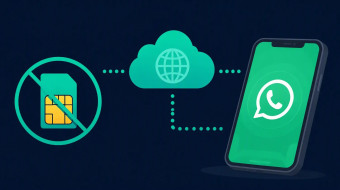
A virtual number for WhatsApp Business is a cloud-based phone number used to register and run WhatsApp Business without exposing a personal SIM. It works like a typical mobile number for receiving SMS verification, but is more flexible to manage across devices, regions, and team workflows.
In practice, a whatsapp business virtual number is not tied to one physical SIM card or a single handset. It is hosted by a virtual phone number provider and routes calls and texts through software. That means you can get WhatsApp Business code on virtual number during registration, and your team can access messages from anywhere — on the WhatsApp Business app, WhatsApp Web, or multiple devices at once.
The core benefits are practical, not cosmetic:
- Separating private and business identity. Messaging customers from a personal number looks unprofessional and blurs work-life boundaries. A dedicated second WhatsApp number for business keeps your private line private.
- Controlling access. Because the number lives in the cloud, you decide who on your team can use it — no handing over a personal SIM to an employee.
- Scaling communication. A whatsapp business second number works well when you handle a high volume of messages, operate in multiple regions with local number formats, or have more than one team participant using the same account.
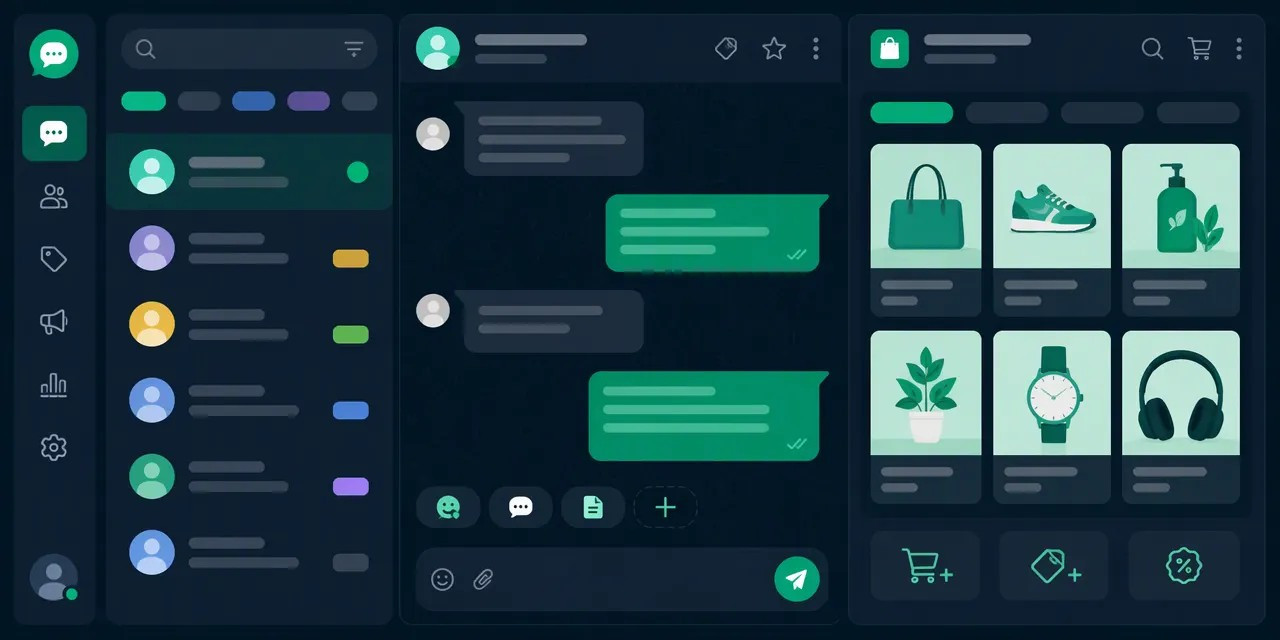
Importantly, WhatsApp Business is a separate app, not just a label on the consumer version. It is a free download (available via business.whatsapp.com/products/business-app) and includes built-in business tools: auto-reply messages, a business profile, labels for chats, catalogs to showcase products, and messaging statistics. Using the business tools — for example, setting an away message or a greeting auto-reply — is also what signals to WhatsApp and to customers that the account serves a legitimate business purpose.
Typical use cases for a virtual phone number for WhatsApp Business include:
- High message volume — support or sales teams answering dozens of daily chats need shared access, not one phone in someone's pocket.
- Multiple regions — a local virtual number builds more trust than a foreign one, which matters for brand consistency across customer touchpoints.
- Several team members on one account — cloud numbers allow 2+ agents to work the same WhatsApp Business account simultaneously.
So, a virtual number is essentially the answer to WhatsApp Business without personal number concerns: you register a dedicated business identity, complete whatsapp business verification (starting with SMS verification of the virtual number, and later business verification for the WhatsApp Business Platform if you scale), and keep full control over the line. The setup itself is quick — choosing a provider, renting a number, and entering the SMS code usually takes minutes, though the quality of the provider determines whether that number survives long-term.
Who Should Use a WhatsApp Business Virtual Number?
A virtual number fits companies and solo operators that need a clear business identity, multiple regions, or shared team access. Personal-number messaging can look unprofessional and weaken brand credibility, while a dedicated second number keeps customer conversations consistent.
Freelancers and Local Services
Solo professionals — plumbers, tutors, photographers, real estate agents — often face a simple dilemma: customers message their personal WhatsApp, mixing family chats with client requests. A whatsapp business second number solves this without buying a second phone. With the WhatsApp Business app you get a separate identity on the same device, plus auto-reply, catalogs, and a business profile with working hours. This is the classic scenario for running WhatsApp Business without personal number: you register, complete the SMS verification through your virtual number for WhatsApp, and within minutes you have a professional presence. Expect to spend roughly $5–15 per month on a virtual phone number provider, depending on the country and rental term.
E-commerce and Support Teams
Stores and support departments that handle a large quantity of incoming WhatsApp messages need one shared channel instead of an agent's personal account. A virtual phone number for WhatsApp Business becomes the single customer-facing line: agents reply from the same account, and the conversation history stays centralized even when staff rotates. If you plan WhatsApp Business verification for the WhatsApp Business Platform (API) later, a clean, dedicated number with consistent activity history simplifies the business verification process.
Multi-Region Operations
Companies selling across borders benefit from local-looking numbers without renting offices in every market. Getting a virtual number WhatsApp verification SMS in a customer's country code can lift answer rates — people are notably more likely to open and reply to a familiar prefix. This is one of the most practical ways to get WhatsApp Business code on virtual number for each regional account, though remember WhatsApp policies restrict one account per number.
Teams Sharing One Account
If more than one participant must work through the same WhatsApp Business account, the number should belong to the business, not an employee. A virtual number eliminates the risk of losing the entire customer base when a manager leaves — the line stays with the company.
Virtual Number vs Personal SIM vs Landline for WhatsApp Business
A personal SIM is simple but mixes private and client communication; a landline may support voice verification in some cases but is less flexible for messaging teams. A WhatsApp Business virtual number is usually the best middle ground for privacy, routing, and multi-user control.
Convenience and cost. Running WhatsApp Business on your personal SIM costs nothing extra, but every client message lands next to family chats, and losing the phone means losing the business line. A landline can sometimes receive a verification call instead of SMS verification, yet it ties messaging to a fixed location. A virtual phone number for WhatsApp Business typically costs on the order of $5–15 per month (prices vary by country and provider), while adding SMS and voice routing without new hardware.
Privacy and professionalism. Customer communication from a personal number may seem unprofessional and harm trust: clients see a private identity instead of a brand, and your personal life stays exposed after every sale. Business verification and a dedicated virtual number for WhatsApp create a consistent identity across catalogs, auto-reply flows, and support touchpoints — something neither a personal SIM nor a landline delivers cleanly.
Portability and team access. A SIM lives in one device; a cloud number can be reassigned, forwarded, or shared when staff change. For support teams handling hundreds of daily conversations, this makes a virtual phone number for WhatsApp Business far more practical than passing one phone between agents.
When a second SIM is enough: if you are a solo seller in one country with modest message volume, a whatsapp business second number on a cheap SIM covers the basics. When go virtual: you need WhatsApp Business without personal number exposure, multi-user access, or numbers in several regions.
| Scenario | Recommended option |
|---|---|
| Solo seller, low volume | Second SIM |
| Local service (salon, repair) | Virtual number |
| Support team (2+ agents) | Virtual number with routing |
| International brand | Multiple virtual numbers per region |
To get WhatsApp Business code on virtual number, choose a reliable virtual phone number provider, request SMS, and enter it during whatsapp business verification. Avoid free or shared numbers — recycled lines often fail a second WhatsApp number for business registration.
How to Set Up WhatsApp Business With a Virtual Number
Install the correct WhatsApp Business app for your device, get a virtual number from a provider, enter it during registration, request SMS verification, then copy the code from the virtual number app into WhatsApp Business. After verification, complete the business profile before active messaging. The whole process typically takes 10–20 minutes if the virtual phone number provider delivers the SMS without delay.
Step 1: Install the official WhatsApp Business app
Download WhatsApp Business from the official product page (business.whatsapp.com) or your device's app store — Google Play for Android, the App Store for iOS. Avoid third-party APK sites: modified builds are a common cause of bans during whatsapp business verification. The app is free, and one device can run both standard WhatsApp and WhatsApp Business simultaneously, each with its own number.
Step 2: Get a virtual number for WhatsApp
Choose a reliable virtual phone number provider and follow its in-app flow to obtain a number. When you get whatsapp business code on virtual number later, the SMS will arrive inside the provider's app, not on a physical SIM. Pick a provider that explicitly supports SMS reception for WhatsApp — some cheap ranges are blocked by Meta. This is the cleanest way to run WhatsApp Business without personal number exposure.
Step 3: Enter the number and request SMS verification
Open WhatsApp Business, accept the terms, and type in your new virtual number with the correct country code. Tap to request an SMS. If the code doesn't arrive within the roughly 60-second resend window, request a new one rather than repeatedly restarting registration — repeated requests can trigger a temporary block.
Step 4: Confirm the virtual number WhatsApp verification SMS
Switch to the virtual number app, open the message containing the 6-digit code, and enter it on the WhatsApp Business registration screen. Once accepted, your whatsapp business virtual number account is active.
Step 5: Complete your business profile
Before messaging customers, add:
- Business name and category — these shape how clients find you;
- Catalogs — showcase products with prices and images;
- Auto-reply — an instant greeting and away messages;
- Working hours and address — so customers know when to expect a response.
A complete profile also improves your standing when you later apply for business verification (the green checkmark), which requires Meta to confirm your real company details.
WhatsApp Business Verification With a Virtual Number: What to Expect
WhatsApp Business verification usually relies on an SMS code sent to the entered number, so the virtual number service must reliably receive OTP messages. If SMS is delayed, use call verification only if offered for that number type and keep the number active before and after registration.
How the OTP Flow Works
The process to get WhatsApp Business code on a virtual number is straightforward:
- Enter the number in the WhatsApp Business app and request SMS verification.
- Receive the SMS containing the code inside your virtual number provider's app or dashboard.
- Submit the code on the registration screen — and your WhatsApp Business account is active.
From there, you can configure business tools such as auto-reply messages, catalogs, and labels, just as you would with a regular SIM-based number.
Where Verification Fails — and How to Prevent It
The most common failure point is blocked OTP traffic. Some virtual phone number providers do not accept short-code SMS or messages from platform verification services like Meta, which means the code never arrives. Before migrating an existing business line or committing to a provider, run a live test: register a trial account and confirm the WhatsApp verification SMS arrives within a few minutes.
Keep the number renewed continuously. WhatsApp may require re-verification during device changes, reinstalls, or security checks, and account recovery also depends on access to the registered number. If a virtual number lapses and is reassigned, you risk losing the account tied to it. Providers typically charge monthly; treat renewal as a fixed operational cost, not an optional extra.
Phone Verification vs. the Green Badge
Note that registering with a second WhatsApp number for business is not the same as Meta's official business verification (the green checkmark badge). The badge requires submitting company documents and applies mainly to the WhatsApp Business Platform/API, whereas the WhatsApp Business app only needs a working number capable of receiving one SMS or voice call. Running WhatsApp Business without a personal number is fully viable — but only with a provider whose numbers consistently pass SMS verification.
Limits and Policy Risks of Using a WhatsApp Business Virtual Number

The main limits are not only technical but behavioral: new numbers, bulk outreach, rapid template changes, user blocks, and inconsistent identity can reduce trust or trigger restrictions. A virtual number does not remove WhatsApp Business rules, so warm up messaging and keep opt-in quality high.
Operational limits to plan for
- Messaging quality matters most. WhatsApp evaluates how recipients react to your messages: blocks, reports, and ignored templates lower your quality rating, which can cap or pause sending — regardless of whether you use a SIM or a virtual number for WhatsApp.
- Templates need approval. Business-initiated messages require pre-approved message templates, and frequent edits or rejections slow campaigns down. Keep templates stable and iterate gradually rather than rewriting them daily.
- Opt-in is mandatory. Sending to users who never agreed is the fastest route to reports. Maintain clear opt-in records and an equally fast opt-out path (e.g., a STOP keyword via auto-reply).
- Session and platform rules apply. The WhatsApp Business app is designed for small teams; larger volumes require the WhatsApp Business Platform (API) with per-conversation pricing. A second WhatsApp number for business does not bypass these tiers.
- Reporting thresholds bite quickly. Meta does not publish exact thresholds — they depend on account history and message quality rating — but even a small share of blocks or reports relative to delivered messages signals trouble.
Key risk factors
- Recycled numbers. Some virtual numbers were previously registered by other users. If the old owner got the number banned or generated spam reports, you may inherit that reputation — check number history before WhatsApp Business verification.
- Number reputation and sudden spikes. Moving from near-zero to thousands of outbound messages per day on a fresh account is a classic ban trigger. Providers of a virtual phone number for WhatsApp Business should offer aged, clean numbers; if you get a WhatsApp Business code on a virtual number that instantly fails, the number itself may be flagged.
- Low-quality leads and identity mismatch. Buying contact lists typically produces high block rates. Inconsistency — a business name in templates that differs from your Facebook Business Manager profile, website domain, or catalogs — undermines business verification and user trust.
What no provider can promise
No virtual phone number provider can guarantee immunity from bans or 100% delivery. When you activate WhatsApp Business without a personal number, you still operate under the same Commerce and Business Policies. Treat any "unbannable" claim as a red flag.
Mitigation checklist
- Complete business verification with accurate legal data matching your domain and profile.
- Ramp volume steadily — start at low daily counts and increase gradually over weeks.
- Use double opt-in, honor opt-outs immediately, and keep complaint rates minimal.
- Keep display name, website, and catalogs consistent across every touchpoint.
How Much Does a Virtual Number for WhatsApp Business Cost?
Costs range from low-cost temporary numbers to monthly subscriptions with SMS reception, call forwarding, and multi-seat management. The right budget depends less on the cheapest OTP and more on reliability, number retention, country availability, and recovery support.
Pricing models you will encounter
A virtual phone number for WhatsApp Business is typically sold in four ways:
- One-time activation: you pay a single fee (often in the range of $1–$5, depending on the provider and country) to receive one SMS verification code. This is the cheapest route to get WhatsApp Business code on virtual number, but the number may be recycled or expire within days.
- Monthly rental: recurring plans, commonly $5–$20 per month, that keep the number active for ongoing WhatsApp Business verification, re-verification, and customer callbacks.
- Pay-per-SMS: a small fee per received message (roughly $0.10–$0.50), suitable for occasional use but risky if WhatsApp requests re-verification multiple times.
- Bundled business phone systems: cloud PBX or VoIP suites ($15–$40+ per user per month) that combine voice, SMS, IVR, and team inboxes — often overkill for solo users but justified for multi-agent support teams.
Exact figures vary widely by provider and country; treat these as order-of-magnitude estimates rather than fixed market rates.
Hidden costs to budget for
The sticker price rarely tells the full story. Watch for renewal fees after expiration, charges for replacing a lost or blocked number, additional seats for team members, and premium pricing for numbers from high-demand countries (US, UK, EU). If your number lapses and WhatsApp forces re-verification, losing access can mean rebuilding your catalog, auto-reply flows, and chat history — a cost far above the renewal fee.
Virtual number vs. a second SIM
Buying a second WhatsApp number for business via a spare phone or second SIM usually costs $5–$15 per month plus a cheap device or dual-SIM handset. That is often more reliable for long-term WhatsApp Business without personal number use, since you fully own the line. Virtual numbers win on flexibility: multiple regions, quick scaling, and no hardware — but only if retention terms are solid.
How to evaluate providers
Before committing, compare virtual phone number provider options on four criteria: OTP success rate for WhatsApp (many disposable numbers are already flagged), a clear refund policy for failed SMS verification, a usable API or dashboard for retrieving codes, and transparent number ownership terms stating how long the number stays assigned to you. A slightly higher monthly fee is almost always cheaper than an account lockout during business verification.
Best Practices to Keep a WhatsApp Business Second Number Safe
Treat the virtual number as a business asset: keep it active, restrict admin access, document recovery codes, and avoid behavior that looks like spam. Consent-based messaging and fast customer support usually reduce complaints more than any technical trick. Below are concrete practices that protect your whatsapp business virtual number over months of daily use.
1. Control account access
Use role-based access where several team members handle the same account. In the WhatsApp Business app, share the workload through linked devices and the WhatsApp Business Platform rather than passing one phone between agents. This matters because accounts serving multiple regions or high message volumes are precisely those that benefit most from a virtual phone number for WhatsApp Business — but only if access is documented. Maintain an internal log of who holds admin rights, and revoke access immediately when someone leaves the team.
2. Protect the number itself
A virtual number for WhatsApp only works as long as you control it. Enable auto-renewal payments with your virtual phone number provider and store backup payment methods, because a lapsed subscription can mean losing the number — and with it, the ability to pass SMS verification again. When you get WhatsApp Business code on virtual number, save screenshots of the registration screen and any recovery codes in a secure vault. If you run WhatsApp Business without personal number, the virtual line is your only recovery path, so treat it like domain ownership: registered to the company, not to an individual employee.
3. Keep signals consistent
Match number country, business profile, website, and customer expectations. WhatsApp business verification and automated risk checks look at coherence: a US number paired with a mismatched business profile, or a website in another language, raises flags. Configure your auto-reply and fill catalogs so that customers who message your second WhatsApp number for business immediately see a legitimate, complete presence.
4. Watch quality signals and pause when needed
Monitor blocks, reports, response time, and opt-outs weekly. As a rule of thumb, if your block rate climbs into the low single digits of delivered messages or complaints spike after a campaign, pause campaigns immediately and audit your contact list for consent. High-quality support responses within minutes, plus opt-in-only messaging, keep your virtual number WhatsApp verification SMS reputation clean — the factor that ultimately decides whether your number stays trusted.
Conclusion: Is a Virtual Number for WhatsApp Business Worth It?
Yes, if you need separation from personal life, regional flexibility, or shared team communication; it is less suitable if you want the absolute cheapest throwaway number for aggressive outreach. Choose a reliable virtual number for WhatsApp Business, verify it carefully, and scale messaging gradually.
Who benefits most. A virtual number for WhatsApp delivers the highest return for service businesses (clinics, repair, logistics), e-commerce support teams, marketing agencies managing several clients, and multi-region companies that need a local presence. The WhatsApp Business app adds tools that a personal account simply lacks — auto-reply, catalogs, labels, and quick replies — so a dedicated number turns the channel into a real business identity rather than a side inbox. For teams handling a large volume of messages across regions, a virtual phone number for WhatsApp Business is often the only practical way to run WhatsApp Business without a personal number involved.
The setup path, in short. Install the official WhatsApp Business app, pick a trusted virtual phone number provider, request SMS verification, enter the code from your virtual inbox, and then complete your business profile — name, category, description, website. After that, move to WhatsApp Business verification (Meta's confirmation for notable accounts) if your brand qualifies, and configure auto-replies and catalogs before the first customer arrives.
Final checklist before launch:
- Reliable OTP delivery — test that you can get a WhatsApp Business code on a virtual number consistently, not just once.
- Number retention — confirm the provider guarantees you keep the number long-term; losing it means losing the account.
- Opt-in process — only message users who agreed to hear from you.
- Policy-safe messaging — avoid mass outbound blasts; warm up volume gradually to protect your sender reputation.
- Monitoring — track delivery, response times, and blocks weekly.
Handled this way, a second WhatsApp number for business is a stable, professional channel — not a workaround. The deciding factor is the provider: a quality virtual number WhatsApp verification SMS flow is trivial, while a cheap one becomes an operational risk within weeks.
FAQ
Can I use WhatsApp Business with a virtual number?
Yes, you can use WhatsApp Business with a virtual number. A virtual number works like a regular mobile number but is more flexible, secure, and controllable. It lets you create a WhatsApp Business account without exposing a personal number, making it ideal for companies handling high message volumes, multiple regions, or several team members on one account.
How do I verify WhatsApp Business without a personal phone number?
Install a virtual number app, get a number, then enter it in WhatsApp Business and request SMS verification. Receive the SMS code inside the virtual number app and enter it on the registration screen. Your account is verified without ever using a personal phone number, keeping business and private communication separate.
Is it safe to use a virtual number for WhatsApp Business?
Yes, virtual numbers are generally safer than personal numbers for business use. They keep your private contact details hidden from customers and are more controllable, since access isn't tied to a physical SIM. This protects your personal identity, prevents customer outreach after hours, and adds flexibility if you need to reassign the number to another team member.
Can I have two WhatsApp Business numbers on one phone?
Yes, you can run two WhatsApp Business numbers on one phone. Use your regular SIM number for the first account, then install a virtual number app to obtain a second number. Register that virtual number in the WhatsApp Business app via SMS verification, giving you two separate business accounts on a single device.
Can WhatsApp ban a virtual number?
Yes, WhatsApp can ban a virtual number if it violates the platform's terms of service. Bans typically result from spam behavior, bulk messaging, or using low-quality numbers abused by other users. To reduce risk, choose a reputable virtual number provider, avoid mass unsolicited messages, and follow WhatsApp's official Business and Commerce Policies.
How much does a virtual number for WhatsApp Business cost?
Costs vary by provider, number type, and country. Many virtual number apps offer short-term rentals or one-time activation codes at low prices, while monthly subscriptions suit businesses needing long-term, stable numbers. Temporary numbers are cheaper but riskier; dedicated long-term numbers cost more but are safer for ongoing customer communication.
Keep reading in this cluster
- Virtual number for WhatsApp: full setup guide — the basics that apply to Business too.
- Second WhatsApp account on one phone — run personal and Business profiles side by side.
- WhatsApp verification code not received — fixes when the Business code never arrives.
Need a stable number for customer communication? Register at Second Number and activate WhatsApp Business on a dedicated virtual number.