


Key Takeaways
- A virtual number for WhatsApp replaces your SIM during registration — WhatsApp never sees your real number.
- WhatsApp accepts mobile-type virtual numbers; many VoIP numbers get blocked, so choose a provider wisely.
- Activation takes about 5 steps: pick a provider, rent a number, request the code, enter it, and set up your profile.
- Free virtual numbers rarely work long-term: recycled numbers cause account takeovers and re-verification issues.
- A paid number with a work-or-refund guarantee is the safest option for business and long-term use.
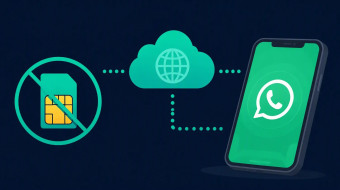
Every time you register WhatsApp with your personal number, you hand over a piece of your identity: your SIM becomes tied to your profile, your contacts can find you, and your number can be harvested, scraped, or targeted by fraud. A virtual number for whatsapp solves this by acting as a buffer between your real identity and the app. Instead of a physical SIM, you rent a cloud-based number that receives the WhatsApp verification code via an online dashboard or API.
In this guide, you'll learn exactly how a whatsapp virtual number works, whether WhatsApp officially accepts virtual numbers (and why some get blocked), how to activate an account in five steps, and how free options compare to paid ones. We'll also break down the real privacy risks of using your main number and show you how to pick a provider that guarantees results — so you can message privately, run WhatsApp Business, or activate an account from another country with full confidence.
What Is a Virtual Number for WhatsApp?
With more than 2 billion users on WhatsApp, the phone number behind the account has become a piece of personal infrastructure. A virtual number for WhatsApp is a phone number without a physical SIM card that can receive SMS or voice calls over the internet. It works with WhatsApp because registration only requires receiving a verification code — the app never checks whether the number is tied to a SIM. You activate it once and keep your real number hidden.
In other words, a virtual phone number for WhatsApp is a standard phone number hosted by a provider instead of a mobile carrier. Incoming SMS messages and calls are routed through an app or web dashboard, so no SIM card, second phone, or additional device is required. From WhatsApp's perspective, the number looks identical to any regular mobile number — which is why it works as a second number for WhatsApp without any changes on the app's side.
How SMS verification works without a SIM
The process mirrors ordinary registration:
- You choose a country and a number from a provider (for example, secondnumber.io).
- You enter that number in WhatsApp and request the 6-digit SMS verification code.
- The provider receives the code in its app or dashboard — the same way a physical SIM receives a text.
- You type the code into WhatsApp, set a display name, and the account is active.
The whole setup typically takes 3–5 minutes. If you run into the "whatsapp verification code not received" problem, the usual fixes are voice-call verification or switching to a different number type — we cover this in detail below.
Virtual number vs. eSIM vs. second physical SIM
- Second physical SIM: requires a dual-SIM phone, a carrier plan, and often a separate contract, with monthly costs in line with a full mobile plan.
- eSIM: still a carrier-issued line tied to your device and identity — you can't use it from a desktop or hand it to a team member abroad.
- Virtual number: lives in the cloud under your account, works from any device, and typically costs an order of magnitude less than a carrier plan — often just a few dollars per month, depending on the provider and country.
People sometimes look for a free virtual number for WhatsApp. Free services exist, but their reliability is limited — a point we break down in the "Free vs. Paid" section.
Where the number lives — and why it matters for privacy
The number is tied to your provider account, not to hardware. If your phone is lost or you switch devices, you log back in and the number — along with your WhatsApp account — stays with you. Just as importantly, your real number is never shown to contacts, never entered into business chats, and stays shielded from SIM swapping and number harvesting. The same principle applies to a virtual number for WhatsApp Business, which lets companies separate customer communication from employees' personal lines.
Does WhatsApp Accept Virtual Numbers?
Yes, WhatsApp generally accepts virtual and VoIP numbers — the registration process is identical to a regular number. However, WhatsApp sometimes blocks numbers that were abused by previous users or come from low-quality shared pools. Using a private, dedicated number from a reputable provider dramatically reduces the risk.
Officially, WhatsApp requires only one thing to create an account: a phone number you can receive an SMS verification code on. The app does not require a physical SIM card, and it never checks whether the number is tied to hardware in your phone. This is why a whatsapp virtual number from a cloud provider works exactly like a standard mobile line during signup.
Mobile vs. VoIP numbers
Both number types can pass verification. A traditional mobile number sits on a SIM card; a VoIP (Voice over IP) number lives on a server and routes calls and texts through the internet. WhatsApp treats them the same way during registration — enter the number, receive the whatsapp verification code, done.
The practical difference is reputation, not technology. VoIP numbers are flagged more often only when they are recycled (previously owned by someone else) or shared across many users. A fresh, dedicated virtual phone number for whatsapp is virtually indistinguishable from a mobile one in WhatsApp's eyes.
Why WhatsApp blocks some numbers and how to avoid it
Blocks usually trace back to the number's history, not the fact that it's virtual:
- The number was previously banned for spam or policy violations by a past owner.
- It is a shared pool number registered by dozens of accounts in a short period.
- The account behind it is flagged for bulk or unsolicited messaging.
To avoid this, choose a private number assigned only to you, warm up the account with normal one-to-one chats for the first days, and never send bulk messages right after registration. Enable two-step verification (PIN) immediately — it protects the account from takeover and signals legitimate use.
If a number does get banned, you can appeal through WhatsApp's in-app support request; outcomes vary case by case. This is where provider policy matters: quality services like secondnumber.io offer a work-or-refund guarantee or number replacement if a number fails verification or is blocked at signup — something no free virtual number for whatsapp will ever provide. This replacement safety net is especially important for a second number for whatsapp or a virtual number for whatsapp business, where losing access means losing your contacts and chat history.
How to Get a Virtual Number for WhatsApp in 5 Steps
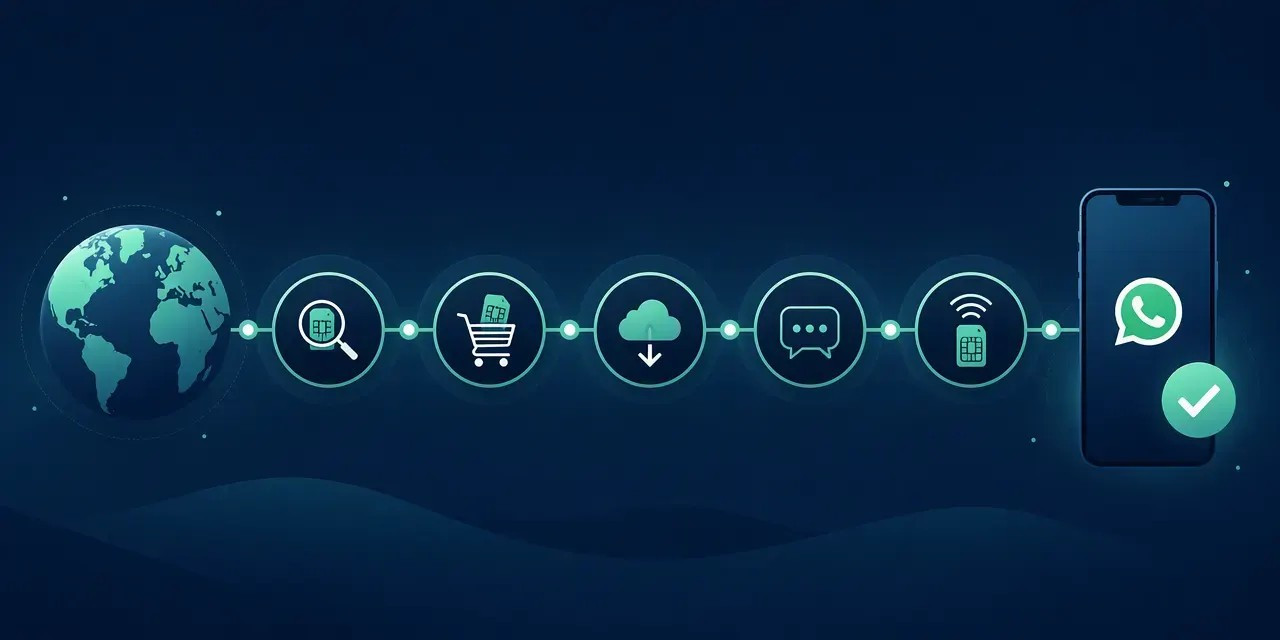
Getting a virtual number for WhatsApp takes about ten minutes: choose a provider, pick a country and number type, pay or subscribe, receive the verification code in the provider's app, and enter it in WhatsApp. The entire activation happens inside WhatsApp's standard registration flow — no SIM, no second phone.
Follow this sequence to activate a whatsapp virtual number without errors:
- Choose a provider with a work-or-refund guarantee. Not every provider's numbers pass WhatsApp's checks. Look for explicit confirmation that the number supports WhatsApp and WhatsApp Business, plus a refund policy if SMS verification fails — this is the single strongest protection against paying for a dead number.
- Select country and number type. A dedicated number belongs only to you; a shared number is recycled between users. Avoid shared numbers for WhatsApp — previous use often leads to an instant block. Pick a country code that matches your target region.
- Create an account and rent the number. Rental term matters. Choose a monthly subscription or longer — WhatsApp can re-verify the number, and losing it after a one-off activation risks losing your account.
- Open WhatsApp and request the code. Enter the virtual phone number for whatsapp with the correct country code, then request the whatsapp verification code via SMS or voice call.
- Enter the code and finish setup. Read the code in the provider's app, paste it into WhatsApp, then set your profile name and photo. Immediately enable two-step verification (Settings → Account) to lock the account to a PIN you control.
A virtual number for whatsapp business follows the identical flow — just install WhatsApp Business instead of the standard app.
If the Verification Code Doesn't Arrive
A whatsapp verification code not received situation is usually fixable in minutes:
- Wait for the voice-call option. If SMS fails after roughly one minute, WhatsApp offers a voice call that reads the code aloud — VoIP numbers receive these reliably.
- Check the number format. Country code first, no leading zeroes or extra symbols.
- Avoid repeated requests. WhatsApp applies rate limits; hammering "resend" can temporarily block verification on that number.
- Contact provider support. If the number itself cannot receive messages, a provider with a work-or-refund guarantee replaces it or refunds you.
Compared to hunting for a free virtual number for whatsapp that typically fails verification within days, a paid rental keeps your second number for whatsapp stable long-term.
Free vs. Paid Virtual Numbers for WhatsApp
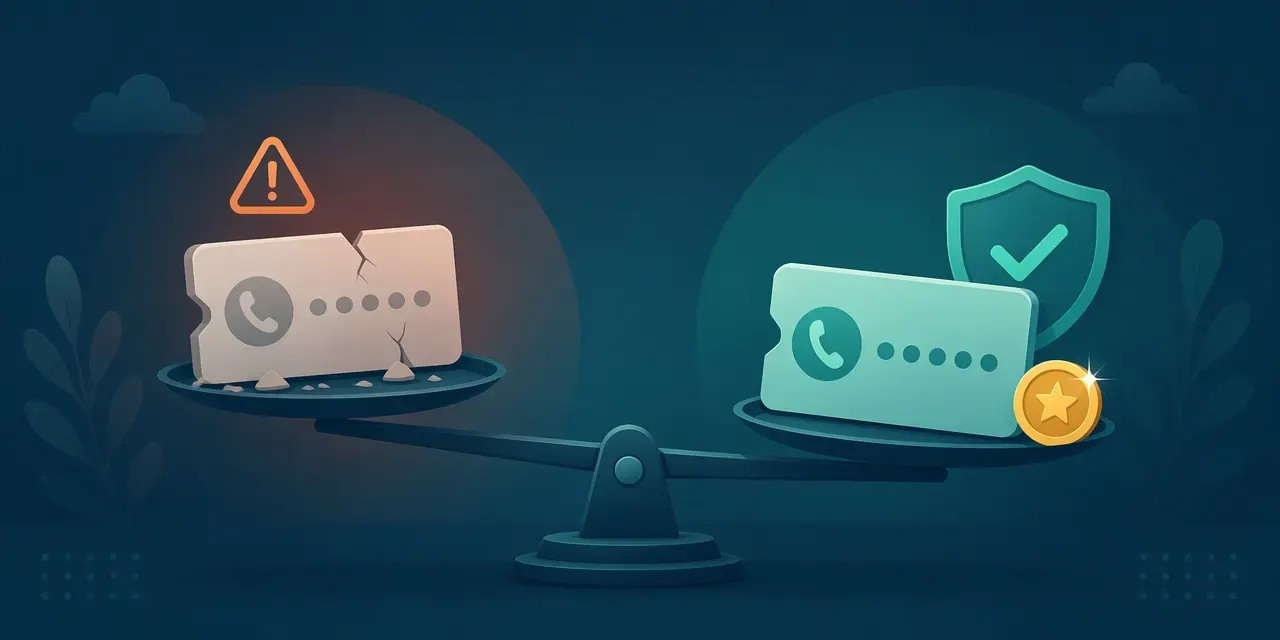
Free virtual numbers rarely work reliably for WhatsApp: they are usually shared numbers that WhatsApp has already blocked or that other users control. A paid number gives you private ownership, long-term access, and support — which is exactly what WhatsApp registration and ongoing use require. If you need a dependable whatsapp virtual number for daily chat, WhatsApp Business, or travel, treat “free” as a test, not a solution.
Free options and their risks
Public “free virtual number for whatsapp” sites usually offer shared VoIP inboxes: many strangers see the same incoming whatsapp verification code, and anyone may claim the account before you do. That creates account-takeover risk, especially if you later reuse the same handle or profile photo. Many numbers are already burned by repeated sign-ups, so registration fails or the account is flagged after activation. There is also no recovery path: if you lose access, you cannot prove ownership, restore chats, or rely on two-step verification alone when the number itself is not yours.
Free fails verification because one number equals many registrations. WhatsApp’s abuse systems notice reuse across devices and regions, and legitimate users suffer collateral blocking. If you see “whatsapp verification code not received” on a free inbox, it is often the number, not your SIM card or app.
What a paid number buys you
A paid virtual phone number for whatsapp is normally assigned for exclusive use: SMS and voice reception, renewal so you keep the same second number for whatsapp, human support, and replacement if the route is blocked. For whatsapp virtual number business setups, stable ownership matters more than saving a small fee. Pricing models vary by country and capability — one-time activation, monthly rental, or per-SMS/voice credits — so compare whether renewal, replacement guarantee, and delivery to WhatsApp are included before paying.
Decision rule: use free only to test whether a provider’s route reaches WhatsApp; choose paid when activation reliability, account recovery, and long-term access matter.
Real Number vs. Second Number: Privacy Risks
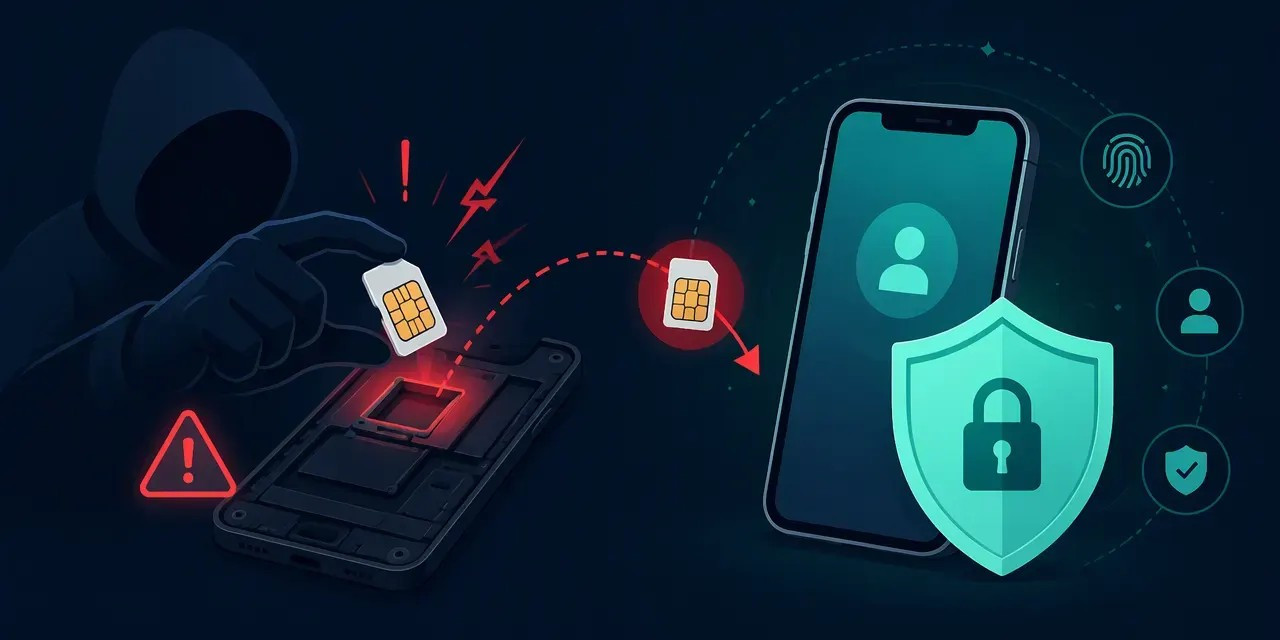
Using your real number on WhatsApp exposes it to everyone you message, every group you join, and any service that scrapes profiles. A second number for WhatsApp isolates that exposure: even if the virtual number is leaked, harvested, or scraped, your personal number and linked accounts stay safe.
SIM Swapping
SIM swapping is an attack where criminals port your phone number to a SIM card they control, typically using personal data leaked in previous breaches — full name, date of birth, address — to pass carrier identity checks. Once they control your number, they intercept SMS verification codes and can hijack any account tied to it: WhatsApp, email, banking. When WhatsApp runs on a whatsapp virtual number hosted on a provider's infrastructure, the app is decoupled from your primary SIM card: an attacker who swaps your personal SIM gains nothing, because WhatsApp is anchored elsewhere. Note the caveat in reverse — protect your virtual number with your provider's own security settings, since it is now the critical asset.
Number Harvesting
Every group you join and every WhatsApp Business chat you start exposes your number to strangers. Harvested numbers end up in spam and scam databases within weeks; industry estimates suggest billions of spam messages circulate daily across messaging platforms, though precise figures vary by source and reporting period. Using a virtual phone number for whatsapp for public-facing activity means the number that gets harvested is disposable rather than the one your bank and family use.
Profile Scraping
Public WhatsApp profiles combine your number, photo, and status into a correlatable record. Attackers match this against leaked databases to build a full identity. A second number limits the correlation: the scraped profile is a stub, not your real identity.
The Attack Chain
The typical chain looks like this: leaked number → targeted phishing ("your package/customer order") → account recovery fraud, where the attacker impersonates you to services that rely on SMS verification. Interrupting the chain at the first link — by never exposing your real number — is the cheapest defense.
Practical Hygiene
- Enable two-step verification in WhatsApp: Settings → Account → Two-step verification, with a 6-digit PIN and recovery email.
- Set profile photo, status, and "last seen" visibility to My contacts.
- Use a virtual number for whatsapp business or a second number for all public, marketplace, and business contacts.
- Never share a whatsapp verification code with anyone, including people claiming to be support — a recurring scam pattern.
Who Uses a Virtual Number for WhatsApp
Three groups benefit most: people who need a second WhatsApp account on one phone, businesses that want WhatsApp Business without exposing a personal number, and travelers or expats activating WhatsApp from another country without roaming SIMs. The common goal is separating identities without buying a second device.
Second WhatsApp Account on One Phone
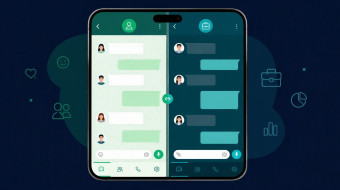
Most modern Android phones and recent iPhones support dual SIM or a built-in dual-app feature that clones WhatsApp. But a cloned app still needs a second number — and a second physical SIM means a second contract, a second device bill, or juggling carriers. A whatsapp virtual number solves this: you register the clone with a virtual line while your primary SIM stays untouched.
Typical users here include freelancers separating clients from family, marketplace sellers keeping buyer chats out of personal threads, and people using WhatsApp for dating or registering on untrusted sites. Your real SIM card never appears in those sign-ups, which limits number harvesting and spam.
WhatsApp Business Without Exposing Your Personal Number
WhatsApp Business passed 200 million monthly active users in 2023, according to Meta — and every one of those accounts sits on a phone number. A virtual number for WhatsApp Business keeps personal chats separate from customer conversations. This matters when a team needs access: with a dedicated business line, handover to a colleague doesn't mean handing over your private account. Combined with two-step verification and the official WhatsApp Business app, a virtual line gives you a professional presence without publishing your personal number on a website or marketplace profile.
Activating WhatsApp From Another Country
Travelers and expats face a practical problem: WhatsApp registration requires an active number to receive the whatsapp verification code, but roaming SIMs are expensive and local prepaid cards expire. A virtual phone number for whatsapp lets you keep a stable home-country identity abroad — or get a number in your destination country if you relocate long-term. Because the number is cloud-based, you receive the SMS verification anywhere with internet access, with no roaming charges.
Use cases at a glance: freelancers, marketplace sellers, dating, online registration on untrusted sites, remote teams, frequent travelers.
Boundaries: a virtual number does not make an account anonymous or invisible. WhatsApp still enforces its Terms of Service regardless of the number type, and accounts used for spam or policy violations get banned the same way. Privacy protects your identity from other users — not from platform enforcement.
How to Choose a Provider
A reliable provider for a WhatsApp virtual number must offer dedicated (non-shared) numbers, support both SMS and voice verification, guarantee a working number or refund, and let you keep the number long-term. Check reputation through independent reviews before paying, and avoid providers that only offer temporary public numbers. Below is a checklist you can apply to any whatsapp virtual number service.
The Checklist
- Dedicated number. The virtual phone number for whatsapp must be assigned to you alone. Shared pools get recycled between users, which leads to the dreaded "this number is already registered on WhatsApp" error.
- SMS and voice call reception. WhatsApp sometimes fails to deliver an SMS verification code; in that case it falls back to a voice call. Your provider must support both. A voice call is often the fix when the whatsapp verification code not received situation occurs.
- Work-or-refund guarantee. If the number does not activate, you should get a replacement or your money back. No guarantee usually means low-quality stock.
- Long-term rental option. A second number for whatsapp must stay active to keep your account. Losing it means losing access unless two-step verification is enabled.
- Multiple countries. Useful if you need a specific country code or are activating WhatsApp from another country.
Support Responsiveness
Support speed matters more than marketing claims. When the whatsapp verification code not received scenario hits, you typically have a limited activation window, and a provider that answers in hours, not days, can save your registration. Test support with a pre-sale question before paying — response time before purchase predicts response time after.
Transparent Pricing
Compare the total cost of ownership, not the headline price: subscription vs. one-time fee, renewal cost, and the number replacement policy. Cheap trials often convert into expensive renewals. For a virtual number for whatsapp business, calculate the annual cost of keeping the number, since a dropped number means re-registering and re-verifying your business profile.
Red Flags
Avoid providers with: shared number pools, no refund policy, no explicit mention of WhatsApp compatibility, or a "free virtual number for whatsapp" model funded by reselling your verification codes. Free public numbers are visible to everyone — a serious privacy risk, as covered in the risks section.
Example: secondnumber.io meets this checklist — dedicated numbers, a work-or-refund guarantee, SMS and voice reception, and long-term rental options across multiple countries.
FAQ
Yes, using a virtual number for WhatsApp is legal in most countries, and WhatsApp does not ban accounts solely for using one — bans follow spam and policy violations. Choose a dedicated paid number, enable two-step verification, and you'll get reliable activation and long-term use.
Is it legal to use a virtual number for WhatsApp?
In most countries, yes — renting a virtual phone number for WhatsApp violates no law. Legal status varies by jurisdiction, though: a small number of countries restrict VoIP services or anonymous SIM registration, so check local telecom regulations if you're activating WhatsApp from another country.
Will WhatsApp ban me for using a virtual number?
Ban risk is tied to usage behavior, not number type. WhatsApp flags accounts for bulk messaging, spam reports, and automation — not for using a second number for WhatsApp. See Why WhatsApp blocks some numbers and how to avoid it for the full checklist.
What if my WhatsApp verification code is not received?
Wait for the SMS verification window to expire, then request a voice call instead — automated calls often succeed where SMS fails. If the whatsapp verification code still doesn't arrive, the number may be recycled or blocked by the carrier; contact your provider's support. Our troubleshooting section covers the full sequence.
Is there a free virtual number for WhatsApp that actually works?
Honestly, rarely. Free shared numbers are listed on public websites, harvested by bots within hours, and usually already registered on WhatsApp — which is why activation fails. A trial period or work-or-refund guarantee from a paid provider is the safer route; we break down the trade-offs in Free vs. Paid Virtual Numbers.
Can I use a virtual number for WhatsApp Business?
Yes — a virtual number for whatsapp business works the same way for registration and SMS verification. Since the number displays on your public catalog, keeping it separate from your personal SIM card is especially worthwhile. A dedicated number also protects you from SIM swapping if your primary line is compromised.
How do I keep the number long-term?
Rent a dedicated number with auto-renewal so it never lapses — WhatsApp re-verifies inactive numbers, and losing the number means losing the account. Enable two-step verification in WhatsApp settings and review our provider checklist before committing.
Key Takeaways
A virtual number lets you activate WhatsApp without a SIM and keep your real number private. Paid dedicated numbers work where free shared ones fail. Pick a provider with a work-or-refund guarantee, enable two-step verification, and your second number will serve you long-term. Ready to set up yours? Get a dedicated virtual number for WhatsApp at secondnumber.io — activation takes minutes.
Here is the condensed version of everything covered in this guide:
- What a whatsapp virtual number is: a cloud-based phone number that receives SMS verification and calls without a physical SIM card. It works exactly like a regular number inside WhatsApp — for messaging, voice calls, and groups.
- How verification works without a SIM: WhatsApp sends a whatsapp verification code to the virtual number; the provider's app or dashboard displays the SMS, and you enter the code to activate. VoIP numbers are accepted by WhatsApp as long as they can receive SMS, though mobile-format numbers tend to pass verification more reliably.
- Free vs. paid: a free virtual number for whatsapp is almost always shared, recycled, or already registered — which is why so many users hit the "whatsapp verification code not received" problem. A paid dedicated number is exclusive to you, stays active long-term, and comes with support and a work-or-refund guarantee.
- The privacy value: a second number for whatsapp shields you from SIM swapping, number harvesting, and profile scraping. Combined with two-step verification (PIN) inside WhatsApp settings, your account stays under your control even if someone targets your real carrier number.
- Provider criteria to remember: dedicated (not shared) number, SMS reception guarantee, long-term rental option, refund if WhatsApp rejects the number, and responsive support.
Next steps
A virtual number for whatsapp business follows the same activation flow — only the app differs — so everything above applies whether you need a personal second number or a separate line for your company.
Keep reading in this cluster:
- WhatsApp Business setup guide — how to activate a business profile on your second number, step by step.
- WhatsApp verification code troubleshooting — what to do when the SMS does not arrive, from retry timing to voice-call verification.
- Free virtual number for WhatsApp — which free options actually work in 2026 and where they fall short.
Don't want to gamble on a free shared line? Get a dedicated virtual number for WhatsApp at secondnumber.io — most users complete SMS verification and activate the account in under 10 minutes, with a work-or-refund guarantee if the number doesn't pass.