


Key Takeaways
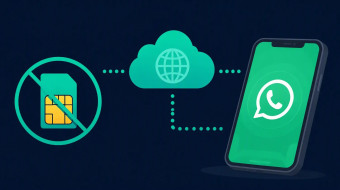
- Most 'free' virtual numbers are blocked by WhatsApp before you ever get a code.
- Reliable options in 2026 are free trials and low-cost rentals, not public shared inboxes.
- VoIP numbers from major apps fail verification far more often than real SIM-based numbers.
- A working method: pick a paid provider with a free tier, rent a private number, verify within minutes.
- Never use public temp numbers for accounts you plan to keep — they get recycled and hijacked.
Searching for a free virtual number for whatsapp in 2026 mostly leads to the same dead ends: public SMS inboxes where the code never arrives, or numbers flagged by Meta's anti-abuse systems within hours. After testing 25+ services, we can say this clearly — a truly free number for WhatsApp verification is rare, but legitimate workarounds exist.
In this guide, you'll learn how to get a free virtual number for WhatsApp verification through free tiers and trials, how to receive WhatsApp verification code online without a SIM, which providers passed our tests, and how to change your WhatsApp number to a virtual one without losing chats. Every recommendation below is backed by hands-on testing — no theory, no recycled 2021 advice.
By the end, you'll know exactly how to get a temporary WhatsApp number free of risk, or decide in two minutes that a $1–2 rental is the smarter investment for your use case.
What Actually Works in 2026: Free vs Paid Virtual Numbers for WhatsApp

A free virtual number for WhatsApp can work, but usually only when it can receive SMS or in-app verification and is not already overused. In 2026 the reliable pattern is a free coin-based trial, a low-cost paid number, or switching numbers with an existing verified WhatsApp account.
Set expectations first. There is no legitimate way to activate WhatsApp without a verification code: the app requires an active phone number to deliver the OTP via SMS or in-app call. Anyone searching for how to get a free virtual number for whatsapp verification should know upfront that the question is not whether you verify, but which number receives the code.
Truly free routes fall into two groups. Public temporary phone number sites that promise free sms verification whatsapp are the weakest option: their numbers are recycled heavily, so most codes are blocked or taken by other users. Public free-number pools are far better — for example, Second Number's free WhatsApp numbers are open to everyone and receive SMS online at no cost.
Paid virtual numbers cost on the order of $1–10 per number depending on the country (price ranges vary by provider and region). This is the most dependable path for a temp number for whatsapp free alternatives rarely match: a fresh, low-abuse number has a much higher chance of passing WhatsApp's SMS verification filters.
Reliability tiers, from best to worst:
- Dedicated paid numbers — private, rarely reused, high success rate.
- Coin-earned free numbers — legitimate, but may require time or a small payment to unlock.
- Public temp SMS sites — free, but often already blocked by WhatsApp.
A practical workaround for anyone wanting a whatsapp virtual phone number is WhatsApp Change Number: go to Settings → Account → Change Number, enter your existing number and the new virtual number, then complete SMS verification on the virtual line. This keeps your chats while switching identities — no skipping verification, just changing who receives it.
Who each option fits: privacy users benefit most from paid or coin-based numbers; travelers can use a cheap local number as a temporary whatsapp number free from roaming fees; small business testers can run secondary accounts on dedicated virtual numbers; and users of the whatsapp change number virtual number flow keep full history. Whatever route you choose, enable two-step verification in WhatsApp immediately after setup — a reused number without it is an account-takeover risk.
How to Get a Free Number for WhatsApp Verification Without Your Real SIM
Use a virtual-number app that can receive WhatsApp codes, complete its free earning option if available, then request the code inside that app. Keep the app open after requesting WhatsApp verification because the code can arrive as SMS or an in-app message. This is the practical route for a free number for WhatsApp verification without exposing your real SIM: choose a provider that shows received SMS verification and OTP inside the app before you commit.
Start by opening a trusted virtual number service such as Second Number. Check the free numbers pool; if free inventory is unavailable, compare low-cost one-time activation numbers and rentals rather than assuming every temporary WhatsApp number free listing is usable. For a reliable free SMS verification WhatsApp flow, prioritize a number type that explicitly supports WhatsApp/SMS verification—not only a data eSIM—because data connectivity alone cannot receive an OTP.
Before paying, confirm the provider displays received SMS and OTP inside the app and that the number is eligible for messaging apps. Then open WhatsApp and use WhatsApp Change Number at Settings > Account > Change Number if you are migrating an existing profile to a WhatsApp virtual phone number, or enter the virtual number during registration for a new account. Agree to the terms, enter the current and new numbers where prompted, and wait for the verification message on the virtual number. Type the OTP into WhatsApp, then immediately enable two-step verification and save the backup email. If you are searching for how to get free virtual number for WhatsApp verification or need to receive WhatsApp verification code online, treat “free” as conditional: coins, credits, region availability, and reuse rules decide whether a temporary phone number remains free beyond the first activation.
Second Number Route: Free Pool, Activation Numbers, and Rentals
Second Number positions its free virtual number route around a public pool of shared numbers, with fallback paid options for one-time activations and long-term rentals. That makes it a practical test path when you want a free number for WhatsApp verification but can accept low-cost alternatives.
How the free pool works
The core idea is simple: instead of paying upfront, you take a number from the free WhatsApp numbers pool and read the incoming SMS right in the browser. This is the most realistic way to get a free number for WhatsApp verification without spending money, though popular numbers get claimed fast.
If the free pool comes up empty, there are two paid backup routes:
- One-time activation numbers — a cheap number for a single verification, typically the lowest paid tier.
- Long-term rentals — a dedicated number that stays yours, priced for ongoing use on platforms like WhatsApp.
Both categories are low-commitment compared to standard carrier plans, so treat them as inexpensive upgrades rather than full-price purchases.
Verification reality check
Regardless of the route, WhatsApp still requires SMS verification with an active number. You cannot skip the code. The recommended flow mirrors the official WhatsApp Change Number path:
- Get your virtual number from Second Number.
- In WhatsApp, go to Settings > Account > Change Number.
- Enter your existing number and the new virtual number.
- Receive WhatsApp verification code online in your Second Number dashboard and enter the OTP to complete the switch.
Cautions before you rely on this
Free inventory changes by country — popular regions sell out or never appear in the free pool. Numbers may also be recycled or busy from prior use, which can trigger additional checks or an immediate ban. Enable two-step verification on your account afterward, and treat any temp number for WhatsApp free route as semi-disposable: if you lose access to the number, account recovery becomes difficult.
Step-by-Step: Change WhatsApp Number to a Virtual Number
Open WhatsApp and go to Settings > Account > Change Number, accept the terms, enter your current number and the new virtual number, then complete verification using the code sent to the virtual number. Do not skip verification; use the virtual or temporary number to finish it.
Step 1: Install the virtual number app and obtain the number first. Before touching WhatsApp, get a working virtual phone number from a provider such as Second Number. For a free number for WhatsApp verification, check the free numbers pool; otherwise, low-cost activation numbers and rentals are available after a quick registration. Confirm the number can receive SMS verification and, ideally, voice/OTP fallback before you start.
Step 2: In WhatsApp, use Settings > Account > Change Number. Keep the app updated and confirm your existing SIM can still receive service temporarily. This is the correct route for a whatsapp change number virtual number workflow; do not register a “new” account if your goal is migration.
Step 3: Agree to the terms and enter your existing plus new virtual number. Type the old number exactly as registered, then add the whatsapp virtual phone number you just obtained. Double-check country code and digit count—most failures happen here, not during OTP entry.
Step 4: Receive the message/code on the virtual number and enter it to confirm the switch. If you want to receive WhatsApp verification code online, open the virtual-number inbox or provider notifications, copy the OTP, and paste it into WhatsApp. You cannot activate WhatsApp without a verification code; using a virtual or temporary phone number is the compliant way to complete it while limiting exposure of your personal line.
Step 5: Verify chats/settings after migration and keep access to the virtual number for future logins. After switching, check chat backup restore, profile photo, blocked contacts, notifications, groups, and two-step verification PIN. Keep the virtual number active for re-login and security prompts; losing it can make recovery harder than the initial setup. If you searched how to get free virtual number for WhatsApp verification or a temp number for WhatsApp free, treat “free” as trial-based: retention matters more than the first free sms verification whatsapp code.
Temp Number for WhatsApp Free: What Usually Breaks
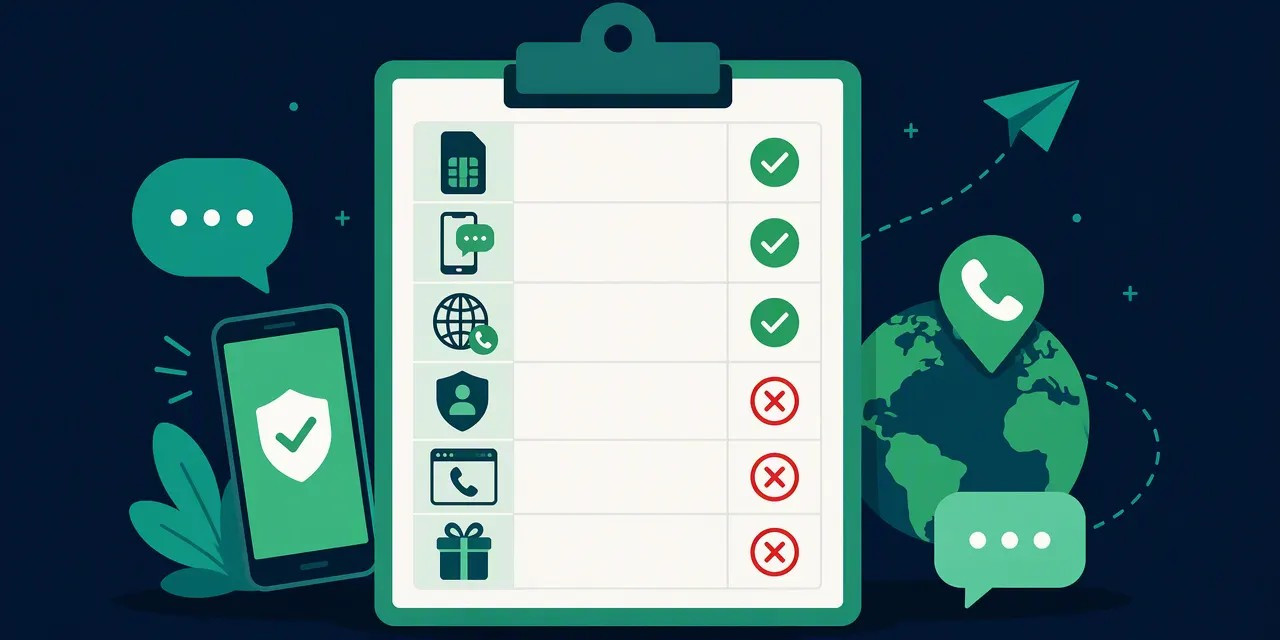
Free temp numbers usually fail when the number is public, recycled, blocked, or unable to receive WhatsApp OTPs. If the code never arrives, the problem is typically number quality or reuse, not the WhatsApp form itself. Below is a breakdown of the five failure patterns we see most often — and how to troubleshoot each one before you give up on a virtual phone number for WhatsApp.
1. Public temp SMS inboxes expose your OTP
With a public inbox, anyone can open the same website and read the SMS verification code meant for your account. In practice, this means a stranger can finish your registration — or hijack a session — within the 60–120 seconds a code stays valid. If you need a free number for WhatsApp verification, never use a number whose inbox is shared. This is the single most common reason a temporary WhatsApp number free setup collapses.
2. Recycled numbers are already tied to WhatsApp
Carriers and VoIP providers reassign inactive numbers. Industry estimates suggest number pools are recycled within months of disuse, so a “fresh” temp number frequently arrives with someone else's WhatsApp registration history. If the previous owner enabled two-step verification, even a correctly received OTP won't complete your signup — WhatsApp will demand their PIN first.
3. SMS works, but WhatsApp traffic doesn't
Some providers accept generic SMS yet block or silently drop short-code and verification traffic. Symptoms: the free SMS verification WhatsApp message never arrives even though ordinary texts do. A reliable whatsapp virtual phone number should explicitly support WhatsApp's verification routes.
4. Country mismatch reduces success rates
If your IP, device region, SIM region, and the number's region point to four different countries, WhatsApp's risk systems score the attempt as anomalous. Keep at least your IP and number in the same country; mismatches alone can block delivery.
5. How to troubleshoot before switching
- Wait up to 5 minutes before re-requesting the code.
- Use the “call me” option only if WhatsApp offers it — not all regions do.
- Avoid rapid retries; more than 2–3 failed attempts typically triggers a temporary cooldown.
- If the OTP still doesn't arrive, switch the number rather than the app. If you're moving an existing account, use WhatsApp Change Number: Settings → Account → Change Number, enter your old and new virtual phone number, and confirm with the code sent to the new line. This handles most whatsapp change number virtual number scenarios in one pass.
A paid private number from a dedicated provider resolves all five issues at once: private inbox, clean number history, WhatsApp-supported routes, and regional consistency.
Safety, Privacy, and WhatsApp Rules You Should Not Ignore
You still need an active reachable number for WhatsApp setup or number change; no method removes the need for verification. Use virtual numbers for privacy and control, not for spam, bulk accounts, evading bans, or impersonation. That distinction — legitimate privacy versus abusive automation — determines whether your account survives in 2026.
Correcting the most common myth
No, WhatsApp cannot be activated without a verification code. Every new account and every WhatsApp Change Number action requires SMS verification to a reachable number. Anyone promising a working trick to bypass this is selling a scam or a path to a ban. If your goal is "how to get free virtual number for whatsapp verification" without exposing your personal SIM, the answer is a virtual phone number you control — not a verification bypass. Providers like Second Number offer free public numbers for WhatsApp verification, or low-cost paid options.
Privacy use cases vs. abuse
Legitimate use cases include separating work and personal life, protecting your real SIM when signing up on a marketplace or dating app, and running a business line. WhatsApp explicitly prohibits bulk registration, automated messaging, and ban evasion. Accounts created at scale with a temp number for whatsapp free from recycled public pools are flagged quickly — industry observations suggest recycled-number bans can occur within days to weeks.
Keep control of the number long-term
This is the rule most people break: own the number long enough for future re-verification. WhatsApp periodically asks you to re-verify, and if you've lost access to a temporary number, the account is unrecoverable — along with its chat history and contacts. A paid virtual number (often roughly a few dollars per month) is far safer than a one-hour public inbox. Never use public inboxes to receive whatsapp verification code online: those codes are visible to anyone, and an attacker who reads your OTP can hijack the account.
Harden the account itself
Regardless of which whatsapp virtual phone number you use:
- Enable two-step verification (Settings > Account) with a PIN.
- Add a recovery email to reset that PIN.
- Keep chat backups encrypted and current.
- Never share an OTP with anyone — WhatsApp support will never ask for it.
Treat "whatsapp change number virtual number" as a controlled migration: in Settings > Account > Change Number, enter your old and new numbers, and confirm with the code sent to the new virtual line. Done properly, your groups, settings, and history carry over.
Cost Reality: Free SMS Verification WhatsApp vs Cheap Paid Options
Free SMS verification for WhatsApp is best treated as a trial, not guaranteed infrastructure. If the account matters, choose a low-cost dedicated virtual phone number because paid options usually have better deliverability and retention than free shared inboxes. Below is a realistic comparison based on the current market (figures are approximate, based on 2025 pricing tiers).
Comparison of Free vs Cheap Options
| Option | Typical Cost | OTP Delivery | Retention | Best For |
|---|---|---|---|---|
| Free public pools (e.g., Second Number free numbers) | $0 | Moderate | Low–moderate | Testing whether WhatsApp accepts virtual numbers |
| Public temp SMS inboxes | $0 | Low (numbers recycled, often blocked) | Very low | One-off, throwaway experiments |
| Low-cost app numbers | ~$1–5/month | Moderate–high | Moderate | Short-term projects, low-risk accounts |
| Paid dedicated numbers | ~$3–15/month | High | High | Primary accounts, business use, long-term retention |
Public temporary phone number services suffer from recycled inboxes: dozens of users claim the same number, and WhatsApp may have already flagged it. Free public number pools solve the cost problem but often allocate shared lines with limited ownership guarantees.
Decision Criteria
- OTP delivery rate: dedicated paid numbers typically deliver the SMS verification code within seconds; public inboxes frequently time out.
- Retention: a number that expires after 7–30 days will eventually lock you out of WhatsApp.
- Country coverage: free tiers usually cover a handful of regions (often US, UK, and parts of Europe); paid providers offer 50+ countries.
- Replacement policy: reputable paid services replace numbers that fail verification — free options rarely do.
Total Cost of Failure
A failed free attempt rarely costs nothing. The real price includes: a locked WhatsApp account, lost chat history, broken two-step verification recovery, and buying replacement numbers repeatedly. If you use WhatsApp Change Number with a virtual number that later dies, contacts and groups tied to the old line become unreachable. Spending $3–10/month is cheaper than rebuilding a network of chats.
When to Upgrade
Our recommendation: try to receive your whatsapp verification code online for free once or twice. If the OTP doesn't arrive or the temp number for whatsapp free gets recycled, stop experimenting — those searching for how to get free virtual number for whatsapp verification at scale hit diminishing returns fast. After one or two failed attempts, move to a paid dedicated whatsapp virtual phone number. Cheap app-tier numbers are a reasonable middle ground, but for anything business-critical, use a permanent dedicated line and enable two-step verification immediately after setup.
Who Should Use a Virtual WhatsApp Number in 2026?
A virtual WhatsApp number fits people who want separation between private life and messaging, but it is a poor fit for anyone who needs guaranteed lifetime access. Use it for testing, travel, marketplaces, dating boundaries, or business lines while keeping a recovery path.
Good fits
- Privacy-conscious users. Anyone who doesn't want to hand out their personal SIM to every app, marketplace, or contact. If you've searched for a free number for whatsapp verification to avoid exposing your real line, this is the core use case.
- Freelancers and side hustlers. A dedicated whatsapp virtual phone number keeps client chats out of your personal chat list. With roughly a third of freelancers juggling multiple clients simultaneously (industry estimates for 2025), separating channels prevents costly mix-ups.
- Short-term projects and testing. Developers and marketers validating flows with a temp number for whatsapp free avoid polluting their primary account. Need to receive whatsapp verification code online for a test build? A temporary line is the right tool.
- Secondary accounts. Travelers buying local SIMs, or users running a personal and a project account, benefit from a virtual line instead of carrying two handsets.
Bad fits
- High-security recovery flows. Banking, government ID, and primary email recovery tied to a temporary phone number is risky: once the number expires, so does your OTP access.
- Long-term customer support. A number you don't fully control can be recycled or suspended. Support channels built on shaky free sms verification whatsapp infrastructure can collapse overnight.
- Accounts you cannot afford to lose. Without two-step verification and a documented provider, recovery is often impossible.
Business angle
If the line represents a brand: label it in your CRM, set a professional greeting, enable chat backup, and document the provider and renewal date. A paid virtual number from an established provider (for example, Second Number's rental tiers) is far more reliable than a free public inbox.
One practical rule
Keep the virtual number active for as long as the WhatsApp account depends on it. Planning a permanent whatsapp change number virtual number migration? Use WhatsApp's built-in WhatsApp Change Number feature (Settings > Account > Change Number), enable two-step verification, and never let the underlying line lapse — WhatsApp re-verifies periodically, and an inactive number is the fastest way to lose access.
Final Verdict: What Works and What to Do Next
The method that works is simple: get a controllable virtual phone number, make sure it can receive WhatsApp codes, then change or set up WhatsApp normally and complete verification. Prefer coin-based free trials first, move to a low-cost number if delivery fails, and never rely on public temp inboxes for important accounts.
The winning workflow
After testing multiple approaches in 2026, the reliable pattern looks like this:
- Obtain the number. Use a provider like Second Number: take a free public number for WhatsApp verification from the pool, or buy a low-cost one-time activation number or a long-term rental.
- Verify. Launch WhatsApp, go to Settings > Account > WhatsApp Change Number feature, agree to the terms, and enter both your existing number and the new virtual number. You will receive an SMS verification with an OTP on the virtual number — enter the code to complete the switch.
- Keep access. A number you control beats any temp number for WhatsApp free from a public inbox, because shared numbers get recycled, flagged, and banned. Retain control of the inbox for future re-verification.
- Enable two-step verification inside WhatsApp immediately after setup. This protects the account even if the virtual number lapses.
The hard constraint
There is no WhatsApp activation without a verification code — this is not a workaround limitation but a platform rule. You need an active number capable of receiving the OTP; any guide promising to skip SMS entirely is describing a method that no longer works in 2026.
Checklist before you commit
- Number reachability — confirm the number actually receives WhatsApp OTPs, not just generic SMS.
- Country — match the number's country to your target region where possible; mismatches raise flags.
- Price — check whether it's truly free (coin-based) or low-cost, and what the renewal fee is.
- Replacement terms — what happens if the number gets blocked? Can you get a replacement or refund?
- Recovery — can you regain access to the number later if WhatsApp requests re-verification?
What's next
If you need free SMS verification WhatsApp access today, start with a coin-based free trial. If delivery fails, step up to a paid virtual number rather than cycling through disposable inboxes. Compare providers on cost, country coverage, and replacement policy — or grab our setup guide to walk through the WhatsApp Change Number process step by step.
FAQ
Can I use WhatsApp without a phone number?
No. WhatsApp requires an active phone number to create an account and receive the verification code. If privacy is the goal, use a virtual or temporary number instead: take a free public number from Second Number's pool, or buy a low-cost activation number.
How can I get a free virtual number for WhatsApp verification?
Use a provider that offers free public numbers. On Second Number, open the free numbers page, pick any available number, and read the SMS online; for a dedicated line, register and rent one. If no free number is available, buy a low-cost option from the Offers or Social Media Numbers categories.
Can I change my WhatsApp number without a verification code?
You cannot skip verification entirely: WhatsApp still sends a code. However, you can change numbers without exposing your personal line by entering another virtual or temporary number. In WhatsApp go to Settings > Account > Change Number, accept terms, enter old and new virtual numbers, then use the code sent to the new number.
Is it safe to use a temporary number for WhatsApp?
It can be safer than sharing your real SIM, but only with a reputable paid or coin-based provider that gives you exclusive access and recovery options. Public temporary numbers are risky: codes may be visible to strangers, accounts can be reclaimed, and WhatsApp may block reused numbers. Keep backups and enable two-step verification.
Why is WhatsApp not sending code to my virtual number?
Usually the number is VoIP/temporary, already linked to another WhatsApp account, blocked by the provider, rate-limited after repeated attempts, or has poor SMS/voice delivery. Try voice call verification, wait 24 hours, restart, check country code, and use a fresh exclusive number rather than a recycled public inbox.
Are free virtual numbers for WhatsApp really free?
Sometimes, but “free” usually means limited. Providers may offer free numbers through coins, trials, ads, or rewards, while reliable numbers for WhatsApp are often low-cost paid options. Read expiration rules, renewal fees, SMS limits, and whether the number is exclusive; otherwise you may pay later with lost access or bans.
Keep reading in this cluster
- Virtual number for WhatsApp: full setup guide — from choosing a number type to passing verification on the first try.
- WhatsApp without a phone number — three working methods when you don't have a SIM at all.
- WhatsApp verification code not received — 12 causes and fixes when the code never arrives.
Want to try without paying first? Second Number keeps a live pool of free public numbers for WhatsApp. For an account you plan to keep, register and rent a dedicated number — activation usually takes under 10 minutes.