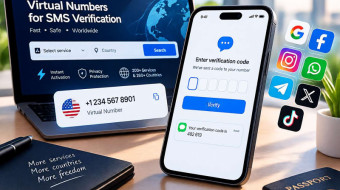



WhatsApp won't open an account without a phone number attached. The app sends a code by SMS, that code goes back in, and the profile exists. No number, no account. Below is what happens during that single step, and where a temp phone number fits into it — and whether WhatsApp actually asks the question people search for: does WhatsApp use your phone number for anything beyond that first check.
Why WhatsApp Ties an Account to a Number at All
WhatsApp uses the digits themselves as the account identifier, not a username or email. Any contact who already has that number saved sees the profile the moment it verifies — convenient for the app, but it means the number becomes part of the account going forward, not just a gate you pass through once. This is why people look for a line separate from their personal one specifically for this: a second profile for work, a distinct contact for a business account, a way to sign up without tying WhatsApp's contact-matching to a private number.
Verification, Step by Step
-
Open WhatsApp and start registering.
-
Enter the number, formatted with the correct country code.
-
A short numeric code arrives by SMS.
-
It shows up in the dashboard within seconds.
-
Type it into WhatsApp exactly as shown, and the account activates.
Steps 3 and 4 are the only part involving the temp number — catching one code. After that, WhatsApp has no reason to text it again for normal use.
What the Number Handles, and Where It Stops
A line taken out purely for this step has one function: catch that single SMS. It can't make or take calls, and nothing about it stays reserved for a second message — once the code lands and gets used, that particular signup is done, not paused for later.
This matters because WhatsApp sometimes falls back to a voice call instead of texting, usually after a few failed SMS attempts on the same digits. A call-based fallback sits outside what a text-only line supports, since there's no voice service behind it. If a signup keeps drifting toward the call option, waiting won't help — restarting and picking SMS again, or switching to a different number, does.
Who Rents a Separate Number for This
Not just people guarding their privacy. A WhatsApp Business profile kept apart from a personal one needs its own contact by design, since one number can't run both account types at once. Teams verifying storefronts across several markets repeat this process per region, since each Business profile needs a separately confirmed line. Developers checking how a signup flow behaves — different country codes, delivery timing, error states — also grab numbers on demand instead of tying up a personal line for something that only has to happen once per test.
None of these situations ask the number to do anything past that first check. Someone specifically needing a US number for WhatsApp because a platform or contact expects a domestic code, or an international number for WhatsApp to test how the app behaves for users abroad, goes through this exact same one-step process.
Does WhatsApp Use Your Phone Number for Anything Else?
This is one of the more common questions people search before renting anything: does WhatsApp use your phone number beyond that initial code? Yes, in a limited sense — the number stays the account's identifier for as long as the account exists, which is how contacts recognize the profile automatically. It isn't used for repeated verification during normal messaging, and WhatsApp doesn't text it again unless a new device needs to log in later, at which point a fresh number handles that separately.
Why Results Feel Inconsistent Between Attempts
WhatsApp doesn't treat every number the same. Background checks run before the app decides whether to send SMS or default to a call — tied to recent activity on that number, its country, and patterns logged for that particular range. In practice this shows up as friction rather than an outright block, and a different number is usually enough to reset the pattern.
Business Profiles and Linked Devices
A WhatsApp Business profile runs through the identical SMS check as a personal account — same code, same short window, same call fallback if SMS stalls. Multi-device linking works the same way — up to four companion devices plus the primary phone all tie to the account created by that one code, and losing the rented number afterward doesn't break sessions already linked, since those authenticate through the session itself rather than rechecking the phone.
Common Problems and Fixes
|
Problem |
Likely cause |
What helps |
|
No code after a minute or two |
Delivery delay on that number |
Wait briefly, then try a different one |
|
A call offered instead of SMS |
Repeated attempts on the same digits |
Restart signup, select SMS again |
|
"Number already registered" |
Used for WhatsApp before, by someone else |
A fresh number resolves it |
|
Code rejected on entry |
Extra space or character typed |
Re-enter carefully, digits only |
|
Stuck on "waiting for code" |
Screen timed out |
Restart before requesting a new one |
|
Wrong country selected |
Doesn't match the number rented |
Recheck before submitting |
Before Renting a Number for This
Confirm the country needed first — behavior shifts by region, and a mismatch can cause friction even when the first code lands fine. Have the signup screen open before renting. Skip renting a second number while the first is still working.
Frequently Asked Questions
Can one number verify a second WhatsApp account later?
No — built for a single signup.
Does WhatsApp allow this kind of number at all?
Yes. If the text lands, verification proceeds.
Why did a call get offered instead of a text?
Usually after a few failed SMS attempts. Restarting and choosing text again is the workaround.
Does the line need to stay reachable after verification?
No.
What does "already registered" mean?
Someone else verified WhatsApp with that exact number before.
Can this work for WhatsApp Business?
Yes — a separate contact is actually the better fit for a business profile.
Is there a free WhatsApp code option?
The code itself isn't something WhatsApp charges for — what's paid for is the SMS delivery behind it.
How fast does a code usually arrive?
Within seconds on most attempts.
Bottom Line
WhatsApp signup with a rented number comes down to one moment: catching a single SMS code and typing it back correctly. Second Number handles exactly that step — pick a country, get the number, receive the code — so you get a working account without giving the app a personal line.