


Anyone building several free Gmail accounts hits the same wall eventually: the first couple go through easily, phone verification gets pushed harder after that, and the temp number itself gets flagged if it's used too many times in a row. Deliberate, not a glitch — and the same pattern shows up trying to make a free Hotmail account or trying to create an Outlook account back-to-back, not just on Gmail specifically.
Why Reuse Gets Limited So Aggressively
Phone checks at signup exist mainly to cut down mass-created spam accounts. One number opening account after account in a short window matches that pattern exactly, even with an entirely ordinary reason behind it — testing, separate projects, legitimate business use. The system reacts to repetition on a number, not intent. This is exactly why email without phone number searches spike alongside this problem — people assume skipping the phone step entirely is the fix, when reusing a fresh number each time solves it just as well.
The Fix: A Fresh Number Per Account
Avoiding that wall comes down to a single rule — never reuse the same digits across signups. A number obtained separately for each account sidesteps the pattern entirely, since every signup then looks like it's coming from an unrelated line.
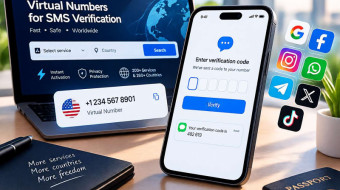
Verification, Step by Step
-
Start signup and reach the phone-entry step.
-
Enter a number not used with that provider before.
-
A numeric code arrives by SMS.
-
It shows up in the dashboard within seconds.
-
Enter it to complete that account's verification.
-
Use a new number for the next account rather than reusing the last one.
What This Actually Covers
A line rented here catches one code for one signup — the entire job. No calls, and nothing held back to verify that account again later if a follow-up check comes up, like a suspicious-login prompt weeks afterward. That kind of check needs its own fresh number at the time.
What Happens After Verification
Once an account confirms, that number's role is finished for ordinary use — logging in, sending mail, standard features don't need it again. It only resurfaces if the account itself gets flagged for a later review, and even then it's the provider's own recovery flow asking, not anything requiring the original digits still active. Reusing across accounts brings no real benefit — usefulness ends right after the first check clears.
What Providers Actually Watch For
Not simply "too many accounts total." What gets flagged is speed and repetition on one number — several signups in a short window, same digits every time. A number verifying one account today, another next month, spaced naturally apart, looks nothing like the rapid pattern spam detection targets. So the fix isn't "wait longer between attempts on one number" so much as "use a different one each time" — reuse itself is the signal.
Legitimate Reasons for Several Accounts
Developers checking an integration across accounts need distinct logins to test permissions and edge cases properly. Small teams sometimes need one account per project rather than sharing a login. Freelancers handling multiple clients keep a dedicated address per client to avoid mixing data.
Aliases as a Sometimes-Faster Alternative
Before renting anything, check whether the provider supports address aliasing — Gmail's plus-addressing (name+work@gmail.com) or Outlook's custom aliases achieve the same inbox separation without a second signup or a second phone step at all. Aliases sort incoming mail well; they fall short if what's actually needed is a genuinely separate login, password, or an inbox that can be handed off to someone else later. Business domains through Google Workspace or Microsoft 365 sidestep the free-tier phone check entirely too, since those get verified through billing rather than SMS — the rented-number approach here is really a bridge for early-stage or personal use, not a substitute once volume justifies a proper domain.
Common Problems and Fixes
|
Problem |
Likely cause |
What helps |
|
Extra verification after 1–2 accounts |
Reuse pattern on one number |
Use a different number each time |
|
Number flagged as "already used too many times" |
Rapid repeated signups detected |
Rent a fresh one rather than retrying |
|
No code arrives |
Delivery delay on that specific line |
Wait briefly, then switch |
|
Account flagged shortly after creation |
Signups too close together |
Space creation out over a longer period |
|
Second verification method requested |
Provider's own risk check |
Complete whatever step it asks |
|
Number rejected before code sends |
Country format mismatch |
Recheck formatting before submitting |
A Routine That Works
One number per account, used right away rather than left sitting after renting. Space each new account by at least a few hours instead of batching them. Keep a private note of roughly which time each account was created — if one gets flagged later, that record shows what pattern might have caused it.
Frequently Asked Questions
Can one number verify a second account later?
Shouldn't be relied on — a repeat is more likely to get flagged, so fresh digits per account is the safer bet.
Does using a rented number break a provider's rules?
No — being rented isn't what raises flags. Reusing it repeatedly is.
Why did verification get asked for again after setup was done?
Usually a separate security check, unrelated to the original signup.
What's the most common mistake here?
Creating several accounts back-to-back on one number — exactly the pattern detection targets.
Does spacing accounts out over days help, even reusing a number?
Somewhat, but a fresh line per account stays the more reliable habit.
Is there a legitimate business reason for several accounts?
Very often — separate client accounts, multi-login testing, keeping projects apart are all standard.
Does the same reuse limit apply outside Gmail?
Yes — anyone searching free hotmail account create runs into the identical wall on Outlook's side, since the underlying anti-spam logic isn't Gmail-specific.
Bottom Line
Building multiple Gmail accounts without friction comes down to one habit: a fresh temp phone number per account, spaced rather than rushed. Second Number makes that habit easy to keep — a new virtual number takes seconds to rent, so there's never a reason to fall back on reusing one.