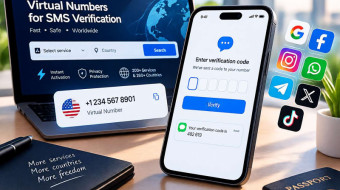



Google asks for a phone number more often than most people realize is optional. It shows up during sign-up, again during security checkups, and sometimes unprompted months later as a "verify it's really you" step. For anyone managing a second Gmail account — a business inbox, a project-specific address, a testing account for development work — handing over a personal number every time isn't just repetitive, it also links accounts together in Google's systems in ways that aren't always obvious upfront. A virtual number from a service like Second Number solves the immediate problem without requiring a second SIM card.
Why Google Asks for a Number
Google's phone verification serves two main purposes: confirming a new account isn't part of a mass spam registration, and providing a recovery method if you're ever locked out. The trade-off is that once a number is attached to an account, Google can use it to connect that account to any other Google account verified with the same number.
Setting Up a Google Account With a Virtual Number
-
Rent an SMS-capable temp number — Google verifies by text, and this type of number only receives text, not calls.
-
Start the sign-up flow and enter the number when prompted, in the format Google's form requests.
-
Enter the verification code promptly, since Google's codes expire within a few minutes, and the number won't receive a second one if you miss the window.
-
Complete the rest of the sign-up — recovery email, security questions, whatever the flow requires beyond the phone step.
-
Set up a real recovery method right away. The number you just used is spent — it won't be there if Google asks for phone re-verification down the line. A recovery email, added now, is what actually protects the account later, not the number.
One Account vs. Several: Matching the Setup to the Use Case
|
Situation |
What to keep in mind |
|
A single secondary Gmail for a side project |
A one-time temp phone number gets you through sign-up; add a recovery email so you're not stuck if Google ever re-checks |
|
A dedicated business or work-related account, separate from personal |
Use a different virtual number than any other account you hold, and set a strong recovery email — don't count on the sign-up number being reachable again |
|
A short-term testing account for development purposes |
One-time number is fine; the account doesn't need to survive long-term |
|
An account meant to stay unlinked from your main Google identity |
A different number than any other Google account you hold, since shared numbers are one of the signals Google uses to link accounts |
However many accounts you're managing, each one benefits from its own number and its own recovery email if the goal is genuinely keeping them operationally separate.
What Happens If Google Asks for Re-Verification Later
Google occasionally re-triggers phone verification for existing accounts, usually after a new device login, a password change, or a periodic security checkup. The number you originally verified with is gone by then — a temporary number is scoped to that one sign-up code and can't receive anything after it. If nothing else was set up, the account's recovery options fall back to whatever else exists, like a recovery email or security questions — which is exactly why setting one up at the time of sign-up, not after you're already locked out, is the real safeguard here.
A Note on Legitimate vs. Problematic Use
There's an important distinction between managing one or a few genuinely separate accounts — a personal and a work address, a testing account for development — and attempting to mass-produce large numbers of accounts to evade Google's own anti-spam limits. A temp phone number used to verify one or two genuinely separate accounts is a completely different thing from mass account creation, which is the behavior Google actually targets. Google actively detects and restricts the latter, and virtual numbers don't meaningfully change that detection, since Google's systems look at broader account behavior patterns, not just the number type. This guide is about the former: a small, legitimate number of accounts kept appropriately separate.
Recovery Options Beyond the Phone Number
Google's account recovery system typically weighs several signals together — a recovery email, security questions if configured, the device and location you're logging in from, and the phone number on file. Relying on the phone number as the sole recovery method is riskier for any account tied to a rented number, since that number is only there for the initial code — losing access to it later removes one of the strongest recovery signals Google has, permanently, since it can't be reactivated. Adding a recovery email at setup gives you a fallback that doesn't depend on any number.
Using Virtual Numbers for Legitimate Development and QA Work
Software teams building products that integrate with Google sign-in or Gmail-based features often need several genuinely separate test accounts to verify how their own systems behave. A handful of one-time virtual numbers, one per test account, supports this kind of legitimate development workflow without needing to hand out team members' personal numbers for accounts that exist purely for internal testing.
A Related Case: Setting Up a Google Voice Number
Anyone creating a second Google account for work or a project often ends up wanting a Google Voice number alongside it — a persistent number for calls and texts tied to that account. Getting a Google Voice number is a separate step from account sign-up itself: it still uses SMS verification during setup, but the number it hands you afterward is the ongoing contact line, not the temporary virtual number you used to verify the Google account. Keep that distinction in mind — a one-time verification number and a Google Voice number are two different things.
Frequently Asked Questions
Does Google reject virtual or VOIP numbers during account creation?
Not universally, though Google's anti-abuse systems do apply extra scrutiny to number ranges heavily associated with mass account creation. A single account verified with a normal virtual number usually goes through without issue.
Can I use a virtual number for Google's two-factor authentication, not just sign-up?
Not meaningfully — a one-time virtual number is spent after the first code and can't receive future 2FA codes. If a Google account you use daily needs 2FA, switch to an authenticator app right after setup; it doesn't depend on any phone number staying active.
Will Google know two of my accounts are connected if I use the same virtual number for both?
You generally can't — each one-time number only ever delivers one code, so using "the same number" for two sign-ups isn't really possible with this kind of number. The real risk is reusing a personal number across accounts, which is exactly why a fresh virtual number per account matters.
What's the safest way to avoid losing access to a secondary Google account?
Set up a recovery email at the same time you verify the account. That's the part that's actually still there later — the phone number isn't.
Getting Set Up
Second Number provides SMS-only numbers ready in minutes, making it straightforward to verify a secondary Gmail or Google account without exposing your personal number — just remember to add a recovery email at setup, since the verification number itself is one-time only.